Buying Guide · WhatsApp Lead Management

WhatsApp Lead Management Software: Reddit Tips, Tools and Workflows

When enquiries arrive through WhatsApp, teams need a reliable way to capture contacts, assign ownership, track sales stages and follow up before a lead goes cold. People researching this on forums like Reddit are usually comparing WhatsApp-first CRMs, a traditional CRM connected to WhatsApp, or just trying to fix a spreadsheet that has stopped working. This guide walks through the workflow, the honest comparison, and where a tool like BetaXLab fits.

No numeric search-ranking or AI-citation guarantee is implied by this guide’s title or URL — it is written to answer the question honestly.

Start Free TrialExplore Lead Management →
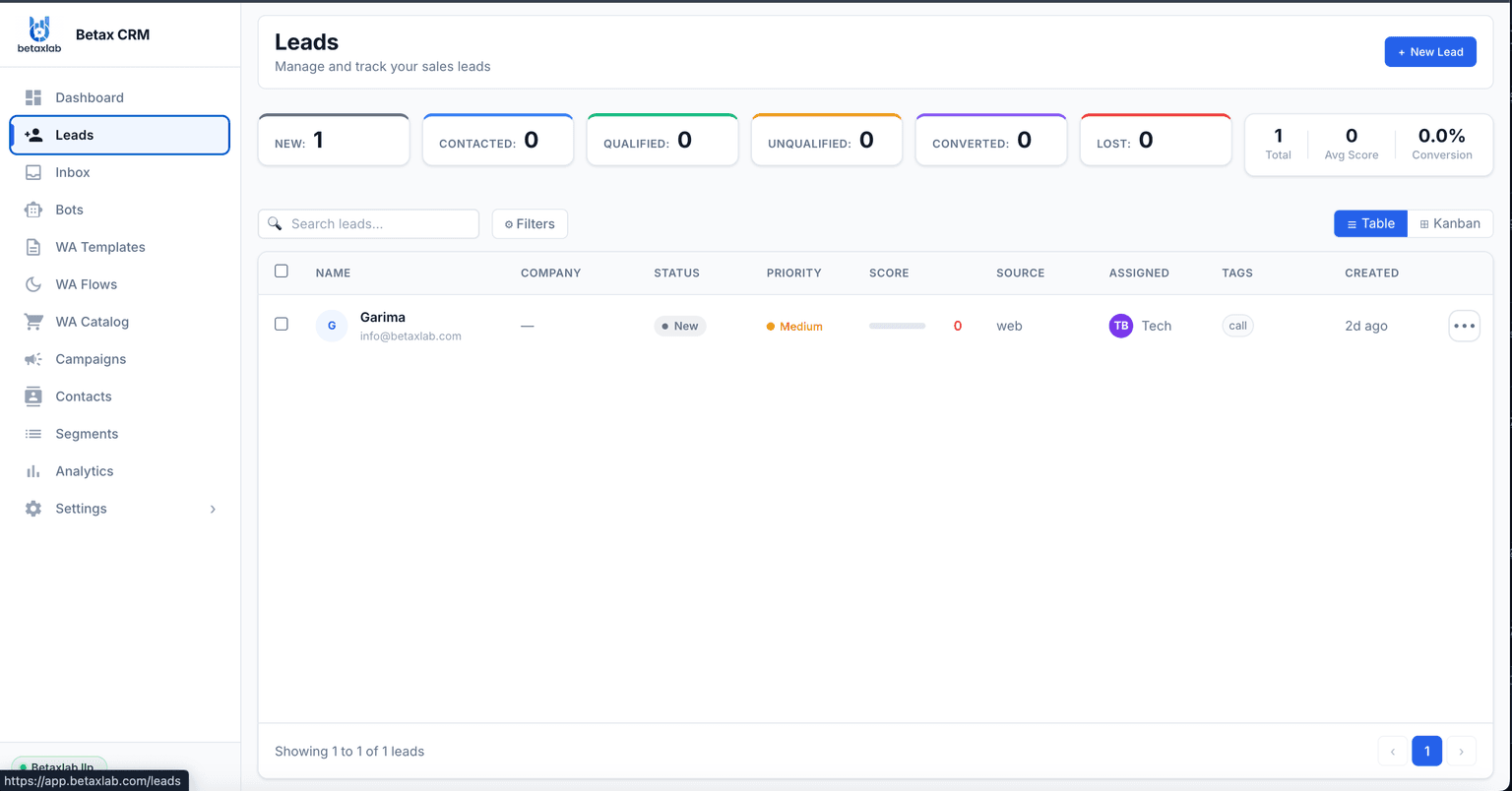
Real BetaXLab lead pipeline showing WhatsApp leads organized by status, priority and score

Summarise this post with:

What People Researching This Usually Ask

Searches for “WhatsApp lead management reddit” tend to circle a small set of recurring questions. Below are the themes, in neutral terms, with no specific thread, user or quote attached.

"Do I really need a dedicated tool, or will a spreadsheet work?"

A frequent starting question. The honest answer: a spreadsheet plus WhatsApp Web can work for a single person handling a handful of enquiries a week. It breaks down once a second salesperson joins, because nobody can see who owns what, and updates rely on someone remembering to type them in.

"What happens to my leads if a salesperson leaves or changes phones?"

A recurring worry, especially where WhatsApp Business runs on a personal or shared phone. If the chat history and contacts live on that device or that person's WhatsApp account, the business can lose the thread entirely. This is usually the real reason people look for a lead-management tool rather than message volume alone.

"Should I bolt WhatsApp onto my existing CRM or switch to a WhatsApp-first tool?"

Teams already running a traditional CRM (for example, a general-purpose sales CRM) weigh connecting it to WhatsApp via an API or integration against switching to a tool built around WhatsApp from the start. Both approaches show up often, and the right one depends on how much of the sales process already happens inside WhatsApp versus elsewhere.

"Does this require the official WhatsApp Business API, or does the free app work?"

A common point of confusion. The free WhatsApp Business app is built for one person on one device and does not support multiple assigned owners, automation rules or third-party CRM sync. Tools that offer lead assignment, pipelines and automation run on the Official WhatsApp Business API, which is a separate, paid connection to Meta.

"How do I stop the same person showing up as three different leads?"

When ads, a website widget and walk-in enquiries all route to one WhatsApp number, the same person can generate more than one contact record if the tool does not match on phone number. This comes up particularly around festive-season or campaign-driven enquiry spikes.

This section reflects common patterns and themes seen in public discussion rather than any specific cited thread, post, username or vote count — treat it as a starting point for your own research, not as a summary of consensus.

Why WhatsApp Leads Get Lost

Four predictable places leads leak out of an unmanaged WhatsApp inbox.

1

The Lead Exists Only Inside a Chat Thread. A WhatsApp conversation is not a database row. The enquiry, the budget mentioned, the follow-up promised on Friday — all of it sits inside a scrolling thread with no owner field, no stage and no due date, which means none of it can be reported on or handed over cleanly.

2

Notifications Get Buried at Volume. One or two enquiries a day are easy to notice. At real volume, new-enquiry notifications sit between order updates, group chats and personal messages, and a message asking for a quote can go unanswered for hours simply because it never stood out.

3

Multiple Salespeople, One Inbox, No Ownership. When a shared phone or shared login handles enquiries, two people can reply to the same lead, or nobody does because each assumed the other had it. Without an explicit owner field, accountability has nowhere to attach.

4

The Same Lead Lives in Three Spreadsheets. An ad campaign, a website form and a walk-in QR code each feed a different tracking sheet, maintained by different people, updated at different times. Nobody has one current view of the pipeline, and reconciling the three usually happens only once something has already gone wrong.

The Ideal WhatsApp Lead Management Workflow

Illustrative example of the five steps most lead-management setups are built around, regardless of which tool runs them.

1

New Enquiry Arrives. A message comes in from a Click-to-WhatsApp ad, a website widget, a QR code or a direct message to the business number.

2

Create or Match the Contact. The phone number is checked against existing records. A new number creates a fresh contact; a number that already exists is matched to its history instead of creating a duplicate.

3

Assign Owner & Initial Status. The lead is routed to a rep — by round-robin, workload, product line or another rule — and dropped into the first pipeline stage, such as "New" or "Enquiry Received."

4

Schedule the Next Follow-Up. A next action and a due date or reminder are set, whether that is a manual task for the rep or an automated follow-up sequence, so the lead has a next step instead of sitting idle.

5

Track Conversion or Lost Reason. The lead eventually moves to "Won" with a value attached, or to "Lost" with a reason recorded — price, timing, went with a competitor, unresponsive — so the outcome feeds reporting either way.

Exception Cases Worth Planning For

Duplicate contacts: the same person messaging again weeks later, or reaching you through a second channel, should match the existing record rather than creating a new one — otherwise history and context fragment across two leads.

Unqualified enquiries: spam, wrong numbers and out-of-area requests need a clear “disqualified” or “not a fit” status of their own, so they are removed from the active pipeline without being deleted — keeping reporting accurate and the working queue uncluttered.

CRM Features That Actually Matter

Whatever tool is chosen, check it covers these nine basics before anything else.

✓

Lead Source. Which channel and campaign the enquiry came from, captured at first contact.

✓

Contact Details. Name, phone number and any details collected during the conversation or a form.

✓

Pipeline Stages. A defined sequence — New, Contacted, Qualified, Proposal, Won, Lost — that reflects your actual sales process.

✓

Tags & Custom Fields. Free-form labels and structured fields for budget, product interest, location or anything specific to the business.

✓

Notes. A running record of what was discussed, promised or decided, visible to whoever picks up the lead next.

✓

Owner. One accountable person per lead at any given time, with a clear, logged history of reassignment.

✓

Reminders. Scheduled nudges for the next call, follow-up message or appointment, so nothing relies on memory.

✓

History. A timeline of every message, stage change, assignment and note, so context survives a handover.

✓

Reporting. Aggregated numbers — by source, stage, rep or time period — that tell you where leads are actually leaking.

Comparing WhatsApp Lead Management Approaches

Two broad paths show up repeatedly: a WhatsApp-first platform built around the lead lifecycle, or a traditional CRM connected to WhatsApp through an integration. A WhatsApp-first CRM is usually faster to set up for teams whose sales process already happens on WhatsApp, but may need an integration if a separate system of record exists elsewhere. Keeping an existing CRM as the system of record and piping WhatsApp conversations into it via API, Zapier or a similar connector is useful when that CRM already runs other channels, but reliability and depth depend entirely on how solid that specific integration is.

CapabilityBetaXLabWATIGallaboxInteraktAiSensyZoko
Lead Capture & Source TrackingMulti-source capture — inbound chats, Click-to-WhatsApp ads, website widget, QR codes, CSV import — with source preserved on the recordInbox and broadcast strong; lead-source tagging varies by planContact capture with basic source taggingCatalogue and commerce-oriented captureBroadcast-first; lead capture lighterCommerce-oriented capture around orders
Pipeline & OwnershipVisual drag-and-drop pipeline, explicit owner per lead, reassignment with audit trailPipeline features present, depth varies by tierBasic pipeline and contact ownershipPipeline geared to order status more than sales stagesContact lists more than a full sales pipelineOrder-centric records rather than a sales pipeline
Duplicate HandlingNew contacts are matched against existing numbers before a record is createdVaries by plan and setupVaries by plan and setupVaries by plan and setupVaries by plan and setupVaries by plan and setup
External CRM IntegrationNative API, a Zapier connector covering thousands of apps, and outbound webhooks for two-way syncIntegration options available; depth varies by planIntegration options available; depth varies by planIntegration options available; depth varies by planIntegration options available; depth varies by planIntegration options available; depth varies by plan
ReportingLeads by source, stage conversion, time-in-stage, response-time and win rate per repReporting present; granularity often tied to higher tiersReporting present; depth variesReporting focused on commerce metricsCampaign-level reporting more than pipeline reportingOrder and commerce-level reporting
Pricing ModelFlat published plans; Meta conversation charges passed through at costTiered plans with usage add-onsTiered plans, features gated by tierTiered plans with commerce add-onsCredit-style consumption modelHigher-tier positioning for commerce brands

This comparison is a qualitative summary, not live data. Feature sets and plan tiers change over time for every vendor listed — please compare official pricing and feature pages directly before deciding.

Who Is Dedicated WhatsApp Lead Management Suitable For?

Usually a Good Fit

  • A sales team with more than one person replying to WhatsApp enquiries, where ownership needs to be explicit
  • A business running ads, QR codes or a website widget that all feed WhatsApp, and wants to know which source actually converts
  • Any team that has lost track of a lead before and wants a stage, an owner and a next action attached to every enquiry
  • A business that already runs a full CRM elsewhere but wants WhatsApp conversations synced into it rather than living separately

Might Not Be Needed Yet

  • A single person handling a genuinely small number of enquiries a week, where a simple shared note or spreadsheet is still manageable
  • A business not yet using WhatsApp as a primary enquiry channel, where the immediate priority is getting onto the Official WhatsApp Business API at all

Lead Management Metrics to Track

✓

First-Response Time. How long between a lead arriving and the first reply from a rep.

✓

Follow-Up Completion Rate. The share of scheduled follow-ups that actually happen on time, rather than slipping.

✓

Qualified Lead Rate. The percentage of incoming leads that meet your defined qualification criteria.

✓

Stage Conversion Rate. The percentage of leads that move from one pipeline stage to the next, showing exactly where the pipeline leaks.

✓

Lost-Reason Breakdown. Why leads that do not convert are being lost — price, timing, competitor, unresponsive — grouped for pattern-spotting.

Using BetaXLab to Manage WhatsApp Leads

A WhatsApp-first platform built around the lifecycle above — capture, ownership, stages and follow-up as one connected system.

✓

Multi-Source Lead Capture. Inbound chats, Click-to-WhatsApp ads, website widget, QR codes and CSV import all land in one pipeline with source preserved.

✓

Lead Source Attribution. Campaign, ad or QR label is recorded at first contact and stays attached through every stage change.

✓

Automatic Lead Scoring. Rule-based points plus AI-read signals from the conversation produce a live 0–100 score.

✓

Smart Assignment. Round-robin, workload, city, language or product-line routing, with reassignment if an SLA is missed.

✓

Visual Pipeline. Drag-and-drop stages with owner, score, source and days-in-stage visible on every card.

✓

Follow-Up & Reminder Automation. Scheduled nudges and multi-step follow-up sequences that stop the moment a lead replies.

✓

Cold-Lead Alerts. Per-stage inactivity thresholds flag a lead and can trigger a re-engagement sequence before it goes silent for good.

✓

Two-Way CRM Sync. A native API, a Zapier connector, and outbound webhooks for teams that run WhatsApp lead data alongside an existing CRM.

✓

Lead Analytics Dashboard. Leads by source, stage conversion, response-time SLAs and win rate per rep, over any date range.

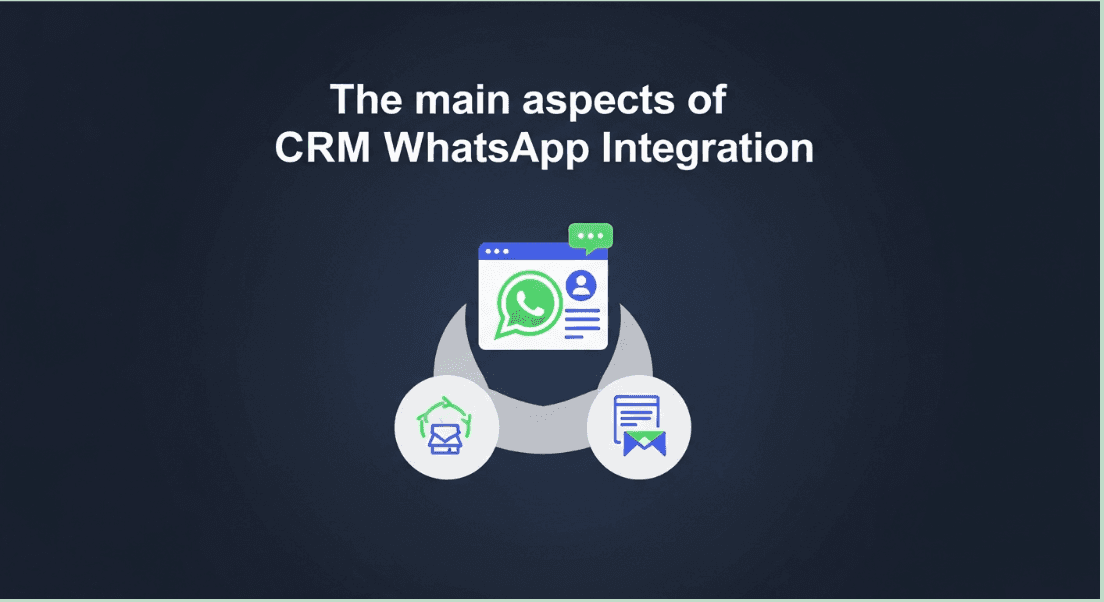
BetaXLab WhatsApp CRM integration showing contact and lead data synced alongside a conversation

One Supported Workflow: New Enquiry to Qualified Lead

A Click-to-WhatsApp ad opens a chat, and BetaXLab creates a lead record with the ad reference attached. An AI chatbot greets the person, asks the qualifying questions set up in advance, and records the answers as structured fields. The lead is scored based on what was said and automatically assigned to a rep through a pipeline stage rule. If the lead goes quiet past a set threshold, a follow-up sequence using approved message templates runs automatically, and the outcome — won, lost with a reason, or still active — stays visible on the analytics dashboard.

Being precise about Facebook leads: Click-to-WhatsApp ads are captured automatically because the chat opens inside BetaXLab. Meta/Facebook Lead Ads — the native form that collects details inside Facebook or Instagram without opening WhatsApp — are a different ad format. Getting those into a WhatsApp pipeline is not automatic by default; it needs the native API, the Zapier connector, or a CSV export/import to bridge the two systems.

Honest note on limits: custom field counts and native API access for syncing external lead sources vary by plan tier — see pricing for which plan includes API access for your expected lead volume and integration needs.

Frequently Asked Questions

There is no single tool that comes up as a universal recommendation — the right fit depends on team size, how many channels feed WhatsApp, and whether a traditional CRM is already in place. What shows up consistently in buyer discussions is the underlying checklist: source attribution, a clear owner per lead, pipeline stages, duplicate handling and follow-up automation. Compare tools against that checklist rather than a single name.

Yes, with the right connection in place. A WhatsApp-first platform like BetaXLab creates a lead record the moment someone messages in. If that data needs to live inside a separate CRM too, it typically moves over through a native API, a Zapier-style connector, or outbound webhooks — it is not something that happens automatically without one of those being configured first.

The practical fix is making follow-up a system property rather than a memory task: every lead gets a scheduled next action with a due date, overdue items are flagged automatically, and a lead that goes quiet past a set threshold is surfaced rather than silently dropped. Tools that support follow-up automation and cold-lead alerts handle this without relying on a rep remembering.

It depends on which "Facebook leads" is meant. Click-to-WhatsApp ads open a WhatsApp chat directly, and BetaXLab captures those as leads automatically with the ad reference attached. Meta/Facebook Lead Ads — the native lead-generation form that collects details inside Facebook or Instagram without opening WhatsApp — is a separate ad format. Bringing those into a WhatsApp lead pipeline is not automatic by default; it typically needs a Zapier-style connector, the native API, or a CSV export and import to sync the two.

Not always, at least at the start. A single person fielding a handful of WhatsApp enquiries a week can manage with discipline and a simple tracking sheet. The need for a dedicated tool usually shows up once a second person joins the sales process, multiple channels feed the same number, or leads have been lost before without anyone noticing until a customer complained.

Five are worth tracking from day one: first-response time (how long before a new lead gets a reply), follow-up completion rate (how many scheduled follow-ups actually happen), qualified lead rate (the share of leads that meet your qualification criteria), stage conversion rate (the percentage moving from one pipeline stage to the next) and lost-reason breakdown (why leads that do not convert are being lost).

For anything beyond a single person on a single device, yes. The free WhatsApp Business app does not support multiple assigned owners, pipeline automation or third-party CRM sync. Tools offering lead assignment, scoring and automation — including BetaXLab — run on the Official WhatsApp Business API, which is a separate, paid connection to Meta rather than the consumer app.

Ready to Stop Losing WhatsApp Leads?

Capture, score, assign and follow up every WhatsApp enquiry from one pipeline — live in 48 hours, with flat, transparent pricing and no lead left sitting in a chat thread nobody owns.

Last reviewed: October 14, 2026 — pricing, feature sets and plan limits for every vendor mentioned change over time; verify current details on each vendor’s own site before deciding.

Related Reading

BetaXLab Lead ManagementWhatsApp CRMBest WhatsApp CRM for Small BusinessBest WhatsApp AI ChatbotBest WhatsApp Automation ToolsAffordable WhatsApp CRM SoftwareWhatsApp Shared Inbox for TeamsBest WhatsApp Broadcast SoftwareWhatsApp Automation for ShopifyWhatsApp CRM Alternatives ComparedBest WhatsApp Business API ProviderTransparent Pricing

Ready to stop losing WhatsApp leads? Live in 48 hours.

Try Free →