Buying Guide · WhatsApp Automation Tools

Best WhatsApp Automation Tools: Reddit Insights and Business Use Cases

WhatsApp automation tools help businesses reduce repetitive work, route enquiries and coordinate follow-ups. People researching this are usually trying to match a workflow — lead routing, auto-replies, reminders, broadcasts — to a tool, rather than finding one universal “best” app. The right fit depends on your workflow, API requirements, messaging rules and integrations, not on a single ranking.

Ask About Your WorkflowSee Tool Comparison →
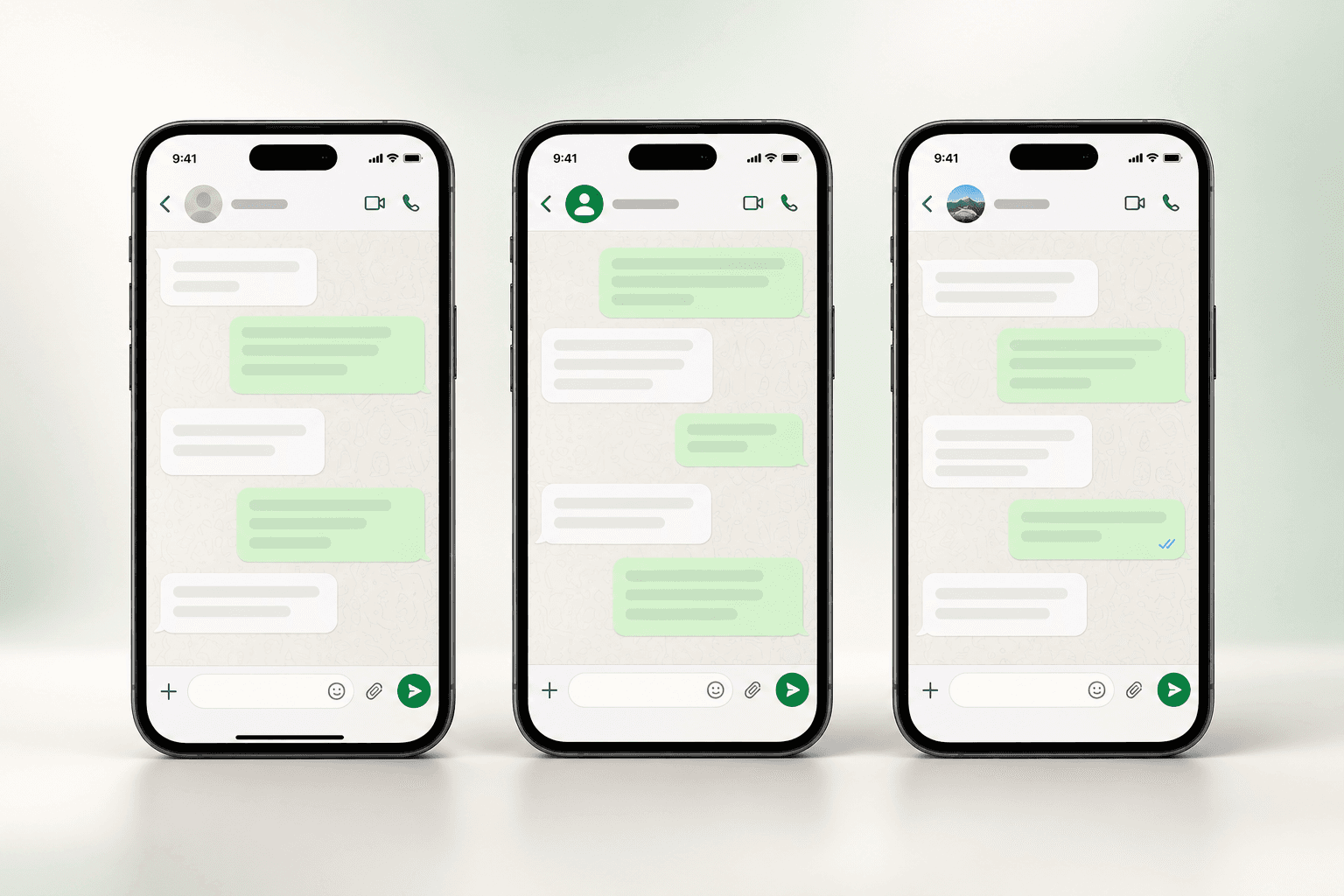
WhatsApp automation software handling customer conversations across three chat screens

Summarise this post with:

What WhatsApp Automation Tools Typically Cover

Across the four core workflows this guide covers, automation on the official WhatsApp Business Platform can offer a 24/7 automated first response, a typical setup timeline of around 48 hours once Meta verification is underway, and compliant messaging on the official API rather than a scripted workaround. In practice, that usually means:

✓

Auto-reply to enquiries and route new leads to the right salesperson

✓

Automated follow-up reminders for leads who go quiet

✓

AI chatbot handles FAQs and support, then hands off to a human

✓

Approved broadcast templates for opted-in marketing campaigns

✓

CRM and e-commerce integrations so automation acts on real data

✓

Human takeover built in for conversations that need judgment

✅ Official WhatsApp Business API · 📋 Verified features only · 🔒 Compliance-first messaging · 🛠️ Setup support included

Common Themes in Public Discussion About WhatsApp Automation

This reflects general, recurring patterns in how people talk about WhatsApp automation in public — not specific cited threads, usernames or quote counts.

Official API access vs. cheaper unofficial tools

A recurring question is whether a low-cost tool that automates the regular WhatsApp app is worth the risk compared to building on the official WhatsApp Business Platform. The general pattern in public discussion leans toward the official route once a business genuinely depends on the number, because unofficial automation can get a number permanently banned with no appeal.

What a tool is like to actually operate, not just its feature list

People often look past landing-page claims and ask about day-to-day experience — how responsive support actually is, whether the "no-code" builder still needs a developer for anything non-trivial, and whether effective cost stays predictable as volume grows.

Whether a chatbot should replace people entirely

A common theme is frustration with bots that trap a customer in a menu loop with no way to reach a human. The general advice pattern favours automating repetitive, predictable questions and routing anything involving complaints, negotiation or judgment to a person.

Confusion about why there are two separate bills

Because WhatsApp billing usually has a software subscription from the automation platform and a separate per-message charge set by Meta, a recurring question is which number actually moves with volume and whether a vendor adds any markup on top of Meta’s rate.

Disclaimer: this section summarizes common patterns in public discussion, written in general terms. It does not quote, link to or claim to represent any specific thread, user or vote count, and it is not a claim of “Reddit consensus.” Use it as a starting point for your own research, not a substitute for it.

Common WhatsApp Automation Workflows

Most businesses automating WhatsApp are really building one or more of these four patterns. Each example below is illustrative — a generic walkthrough, not an actual customer case.

A

New Lead → Match or Create Contact → Assign Salesperson

  1. A message arrives from a number the system has not seen before, or has seen before
  2. Automation checks whether that number already exists as a contact; if not, it creates one
  3. The lead is tagged with its source and assigned to a salesperson by rule — territory, product line, or round robin
  4. The rep opens the chat already briefed, instead of starting cold

Illustrative example: a business running WhatsApp click-to-chat ads for two product lines gets an enquiry. The automation creates the contact, tags which ad it came from, and routes the chat to whichever salesperson is set up to handle that specific product — rather than every enquiry landing on one shared phone.

More on WhatsApp lead management →
B

Customer Question → Automated Response → Human Handoff

  1. A customer asks something — price, availability, order status, a policy question
  2. Rule-based automation or an AI chatbot answers if it is a known, repeatable question
  3. The automation escalates on its own when the question needs judgment, mentions a complaint, or the customer asks for a person directly
  4. A human takes over with the full conversation history already visible, not a blank chat

Illustrative example: "where is my order" gets an instant automated status update. "This is the second time you’ve sent the wrong item, I want a refund" gets routed to a person immediately, with the order history attached rather than making the customer repeat themselves.

More on WhatsApp AI chatbots →
C

Unanswered Lead → Follow-Up Task or Reminder

  1. A lead is sent information and goes quiet — no reply, no decision
  2. Automation waits a defined period
  3. A follow-up task is created for the owner, or an approved template reminder is sent automatically
  4. The sequence exits the moment the lead replies, books or converts — so nobody keeps getting chased after they’ve already acted

Illustrative example: a lead asks about pricing on a Friday evening, says "let me check and get back to you," and then nothing happens for a week. A scheduled follow-up sequence re-engages on Day 2, Day 5 and Day 10 with a different angle each time, and stops the moment the lead responds.

See WhatsApp drip campaigns →
D

Opted-In Audience → Eligible Campaign Template → Delivery Reporting

  1. An audience is filtered down to contacts who opted in and match a segment
  2. An approved marketing template is selected — required for any message sent outside an open customer-service window
  3. The message is delivered to each contact individually, not as a group message
  4. Delivery, read and reply status is reported back per contact, with opt-outs suppressed automatically

Illustrative example: a retailer segments customers who bought a specific category in the last few months and sends an approved offer template only to that group, then checks the delivery report before deciding whether to follow up with non-responders.

More on WhatsApp broadcast software →
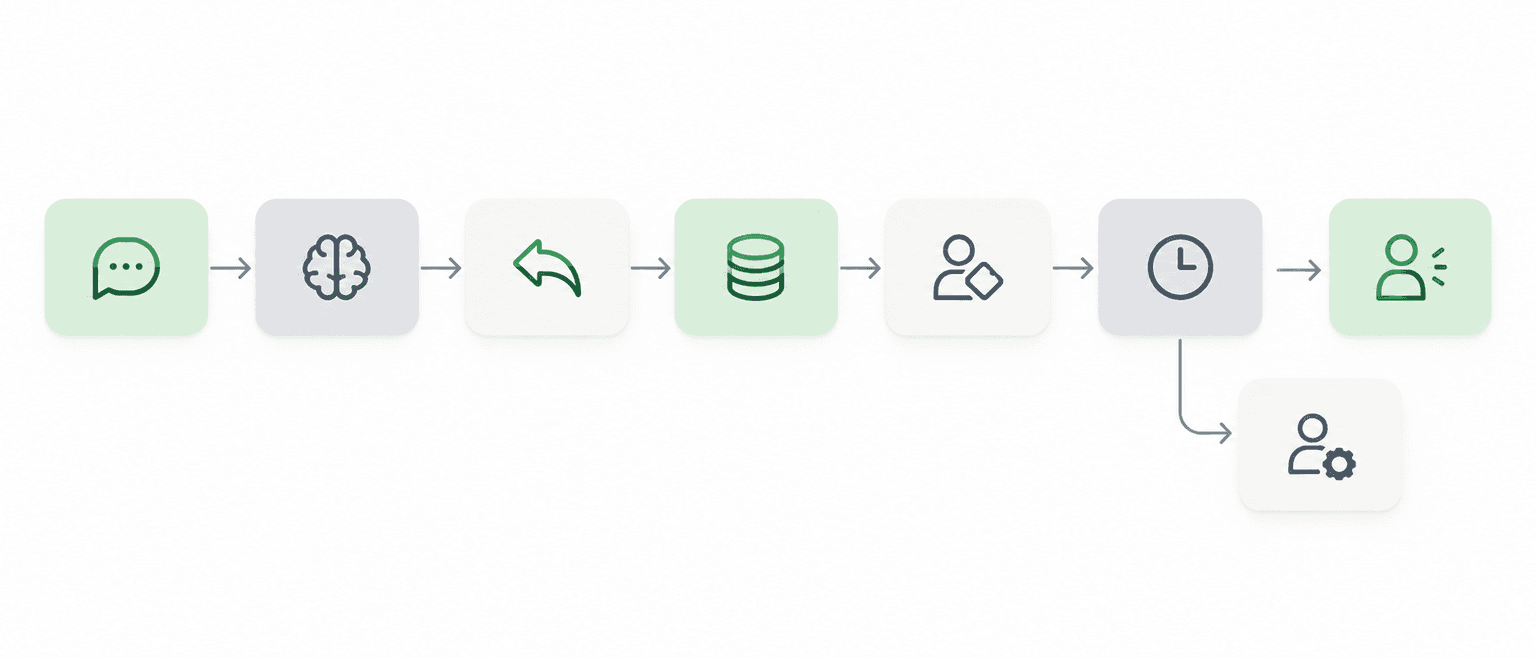
WhatsApp automation workflow: message received, intent detected, reply sent, lead recorded, assigned, follow-up scheduled, human handoff

Types of WhatsApp Automation Tools

Four broad categories, each with a different trade-off between flexibility and effort.

Tool TypeFlexibilitySetup TimeMaintenanceTypical Cost Structure
No-Code Automation PlatformsGood for standard flows; limited for anything outside the builder’s assumptionsHours to a few daysLow — a marketer or ops person can usually adjust flows without a developerSubscription-based, scales with contacts or messages
WhatsApp CRM SuitesBroader — combines automation with contact records, pipelines and reportingA few days to a couple of weeks, including Meta verificationLow to moderate — most day-to-day changes are self-serveSubscription tiers, often with usage-based add-ons
Raw API ProvidersHighest — you build exactly what you need on top of the messaging plumbingWeeks, and ongoing developer time after launchHigh — your team owns the interface, logic and monitoringMessage-level API pricing plus the cost of engineering time
Custom-Built IntegrationsTailored exactly to one business’s stack and processLongest — scoped and built like any custom software projectHighest — ongoing ownership sits with whoever built itDevelopment cost up front, plus upkeep over time

Most small and mid-sized businesses land in the first two rows — a no-code platform or a WhatsApp CRM suite — because they get usable automation without carrying ongoing engineering cost. Raw API access and fully custom builds make sense when a business has specific, unusual requirements and the engineering capacity to own them long-term. See the WhatsApp Business API provider guide if you are evaluating the raw-API route specifically.

What to Check Before Choosing a WhatsApp Automation Tool

✓

Official API access, not a workaround. Confirm the tool connects through the official WhatsApp Business Platform. Tools that script the regular WhatsApp app risk the number being banned, often without warning.

✓

Opt-in and opt-out handling. Ask how consent is recorded, how opt-out keywords are detected, and whether suppression applies automatically across every future campaign.

✓

Approved template management. Any message sent outside an active customer-service window needs a template Meta has reviewed. Ask how template status and rejection reasons are surfaced.

✓

Messaging fees and who sets them. Separate the platform’s subscription from Meta’s own per-message charges, and ask directly whether the vendor adds any markup on top of Meta’s rate.

✓

Integrations with your actual stack. A demo flow means little if the tool cannot see your order table, your CRM pipeline or your booking calendar. Ask to see a real connection, not a slide.

✓

Logs, reporting and audit trail. Delivery, read and failure status per message, plus a record of who changed what automation and when, matters once more than one person touches the account.

✓

Support responsiveness. Automation failures are time-sensitive. Ask what support channels exist and what response time to expect, not just whether support "exists."

Compliance risk worth taking seriously: tools that automate the regular WhatsApp app or send unsolicited bulk messages outside the official Business Platform are not a safe shortcut. They violate Meta’s terms, and numbers using them get permanently banned — often after a business has already built its customer base on that number, with no appeal process. A lower sticker price on an unofficial tool is not a meaningful saving if the number stops working.

BetaXLab vs WATI vs Gallabox vs Interakt vs AiSensy vs Zoko

Compared on the automation capabilities covered in this guide — lead routing, follow-ups, chatbot and integrations.

CapabilityBetaXLabWATIGallaboxInteraktAiSensyZoko
Lead Routing & AssignmentAutomatic contact match/create, rule-based assignment by territory, product or round robin, with full ownership visible to the teamContact and assignment features available; depth varies by planStrong visual flow builder for routing logicAssignment tied closely to catalogue and commerce workflowsRouting available; feature depth scales with tierRouting oriented around commerce and order flows
Follow-Up & Drip AutomationVisual sequence builder with triggers, delays, exit-on-reply rules and suppression across campaignsFollow-up automation present, often gated to upper tiersAutomation depth strong within its flow builderAutomation centred on cart and order eventsAutomation lighter relative to broadcast capabilityAutomation centred on commerce journeys
AI ChatbotAI chatbot answering from a business-specific knowledge base, with defined escalation to a humanChatbot capability available; configuration variesVisual bot builder is a core strengthChat automation geared to product and order queriesChatbot features available on applicable plansChat automation oriented to commerce support
CRM & IntegrationsNative WhatsApp CRM plus Shopify, WooCommerce, Razorpay payment links and Google Sheets; REST API for custom work on the top planOften pairs with an external CRM rather than a built-in oneContact management with pipeline-style featuresIntegrations geared toward ecommerce platformsContact lists more than a full CRMIntegrations centred on commerce and catalogue tools
Pricing TransparencyPublished flat subscription tiers; Meta’s per-message charges passed through separately with no platform markup statedTiered plans with add-ons that can change effective costPlan tiers plus usage-based componentsTiered plans with usage componentsCredit-style purchasing that varies with volumeHigher-tier positioning as commerce features expand

This reflects general positioning at time of writing, not live data. Vendor features, pricing and packaging change — compare official pricing and feature pages directly before deciding. See WhatsApp CRM alternatives compared for a broader look, or BetaXLab’s current pricing.

Who Is This Suitable For?

Good general fit

  • A small or mid-sized team that wants lead routing, follow-ups and an AI chatbot without hiring a developer
  • A business already using Shopify, WooCommerce, Razorpay or Google Sheets and wants automation to act on that data
  • A team currently losing leads to slow replies or forgotten follow-ups

Worth evaluating alternatives for

  • A business needing a deep, bespoke integration with an in-house ERP — that usually needs custom development on top of any platform’s API, not a ready-made connector
  • A team whose entire need is a single narrow workflow a free or very low-cost tool already covers
  • An organisation with an existing developer team that prefers building directly on a raw API provider for full control

How BetaXLab Maps to These Workflows

Only features we could verify against our own product pages are listed here — nothing speculative.

✓

Workflow A — Lead Routing. Contact match/create on every inbound message, with assignment rules by territory, product interest or round robin inside the native WhatsApp CRM. WhatsApp CRM →

✓

Workflow B — Response & Handoff. An AI chatbot answers from a knowledge base built from your own FAQs and policies, and hands off to the shared team inbox the moment a question needs a person. AI Chatbot →

✓

Workflow C — Follow-Up Automation. A visual, no-code sequence builder for drip follow-ups with delays, exit-on-reply rules and template-aware steps for messages outside the service window. Drip Campaigns →

✓

Workflow D — Campaign Delivery. Segmented broadcast sending to opted-in contacts with approved templates and per-contact delivery, read and reply tracking. WhatsApp Broadcast →

BetaXLab all-in-one WhatsApp automation platform screenshot

Example configuration: Workflow A in practice

A new inbound chat is matched against existing contacts by phone number. If none exists, a contact record is created automatically with the source tagged (ad, QR code, website widget, or an existing saved number). An assignment rule then routes the chat — by product interest, city or round robin — to a specific salesperson inside the shared inbox, who opens the conversation with the contact’s source and tag already visible rather than a blank chat.

Honest note on integrations and plan limits. Shopify, WooCommerce, Razorpay payment links and Google Sheets are native integrations available across plans. A REST API for custom, bespoke connections is available on the top (Scale) plan. A deep integration with an in-house ERP or a system without a ready-made connector is not pre-built on any plan — it requires developer work against that API, same as it would on most automation platforms.

See This Workflow in a Demo

20-minute walkthrough · your actual use case

How to Estimate WhatsApp Automation ROI

A transparent illustration of how the arithmetic works. This is a worked example with assumptions you should replace with your own numbers — it is not a guarantee of results.

Assumption (replace with your own)Illustrative value
Enquiries received per month1,000
Share currently answered within an hour (manual)40%
Share answered within a minute with automation~90% (routine questions only)
Assumed conversion uplift from faster first responseA modest, business-specific percentage — not a fixed figure
Staff hours saved per week on repetitive replies and chasing follow-upsDepends on current manual volume

How to use this: put your own enquiry volume, current response time and realistic conversion assumptions into the same structure. Compare the estimated value of faster responses and recovered follow-ups against the automation platform’s subscription cost plus Meta’s per-message charges (see /pricing for current BetaXLab figures). If the gap is wide in either direction, that tells you more than any vendor’s marketing claim.

This worked example is illustrative only. It does not represent a specific customer’s results, and actual outcomes depend on your enquiry volume, team process, product and market — BetaXLab does not guarantee any specific conversion or revenue outcome.

WhatsApp Automation Tools FAQs

There is no single tool that comes up as a universal recommendation — the honest pattern in public discussion is that people recommend whatever matches their specific workflow, and the most consistent advice is to use the official WhatsApp Business Platform rather than an unofficial tool, regardless of which vendor you pick on top of it. Treat any specific product recommendation you read as one person’s experience, not a verified ranking, and compare a shortlist against your own requirements.

Yes, on platforms built with a native CRM or a CRM integration. An inbound message can create or update a contact record, change a lead’s stage, trigger an assignment rule, or start a follow-up sequence. In BetaXLab this runs through the built-in WhatsApp CRM; connecting to an external CRM instead generally depends on whether that CRM exposes an API or a ready-made integration.

Yes. A follow-up can be scheduled to fire a set number of days after no reply, or triggered by an event such as a quote being sent. Messages sent outside an active 24-hour customer-service window need an approved template, and a well-built sequence exits automatically the moment the lead replies, books or converts, so people are not chased after they’ve already acted. See BetaXLab’s WhatsApp drip campaigns page for more on how these sequences are built.

Yes, within Meta’s rules: recipients must have opted in, and marketing messages sent outside an open conversation window must use a template Meta has approved in advance. What is not allowed, and carries real account risk, is automating the consumer WhatsApp app to send unsolicited bulk messages — that violates Meta’s terms and is a common cause of permanent number bans.

Two separate costs apply. The automation platform charges its own subscription — BetaXLab’s published plans currently range from roughly ₹1,299 to ₹5,999 a month, see /pricing for current figures. Separately, Meta charges per message based on category and recipient country, billed independently of the platform subscription. Ask any vendor directly whether they add a markup on top of Meta’s own rate.

Yes, and most working setups are built this way rather than choosing one or the other. The chatbot handles repetitive, predictable questions — pricing, hours, order status — and either the customer or the bot itself triggers a handoff to a human for anything involving negotiation, a complaint, or genuine judgment. The agent should see the full conversation history rather than starting blind. See BetaXLab’s shared WhatsApp inbox page for more on how handoff works in practice.

For most small and mid-sized businesses, no — modern platforms offer no-code builders and ready integrations with tools like Shopify, WooCommerce and Google Sheets. Developer time becomes necessary for a bespoke connection to an in-house ERP or a system without a ready-made integration, typically built against the platform’s REST API.

Ready to Put These Workflows to Work?

Start with the one workflow that’s visibly costing you leads right now — slow replies, forgotten follow-ups or disorganised broadcasts. Automate it on the official WhatsApp Business Platform, measure it for thirty days, and let the numbers tell you what to automate next.

Prefer to explore on your own? Start a free trial →

Last reviewed October 14, 2026. Reviewed for accuracy against BetaXLab’s current product pages; vendor comparisons reflect general positioning and may change. Verified BetaXLab features only · No fabricated citations.

Related Reading

Best WhatsApp CRM for Small BusinessBest WhatsApp AI ChatbotAffordable WhatsApp CRM SoftwareWhatsApp Shared Inbox for TeamsWhatsApp Lead Management SoftwareBest WhatsApp Broadcast SoftwareWhatsApp Automation for ShopifyWhatsApp CRM Alternatives ComparedBest WhatsApp Business API ProviderWhatsApp CRMWhatsApp AI ChatbotWhatsApp BroadcastShared WhatsApp InboxWhatsApp Drip CampaignTransparent Pricing

Not sure which automation workflow fits your business?

Explore BetaXLab →