Buying Guide · Last Updated September 2026

WhatsApp Automation India: What It Costs, What It Automates, and How to Set It Up

Most Indian businesses I speak to are already running on WhatsApp. They just aren’t running it well.

Last quarter I sat with a Jaipur-based jewellery brand doing ₹40 lakh a month. Three people, one phone, 600 unread chats. Their ad spend was fine. Their product was fine. They were losing money in the eleven minutes it took to reply to “price kya hai?” That gap is the entire business case for WhatsApp automation in India. Not robots — just making sure nobody who raised their hand gets ignored.

Start Free TrialSee India Pricing →
500M+
WhatsApp users in India
90%+
Template read rate
₹599
Plans start from
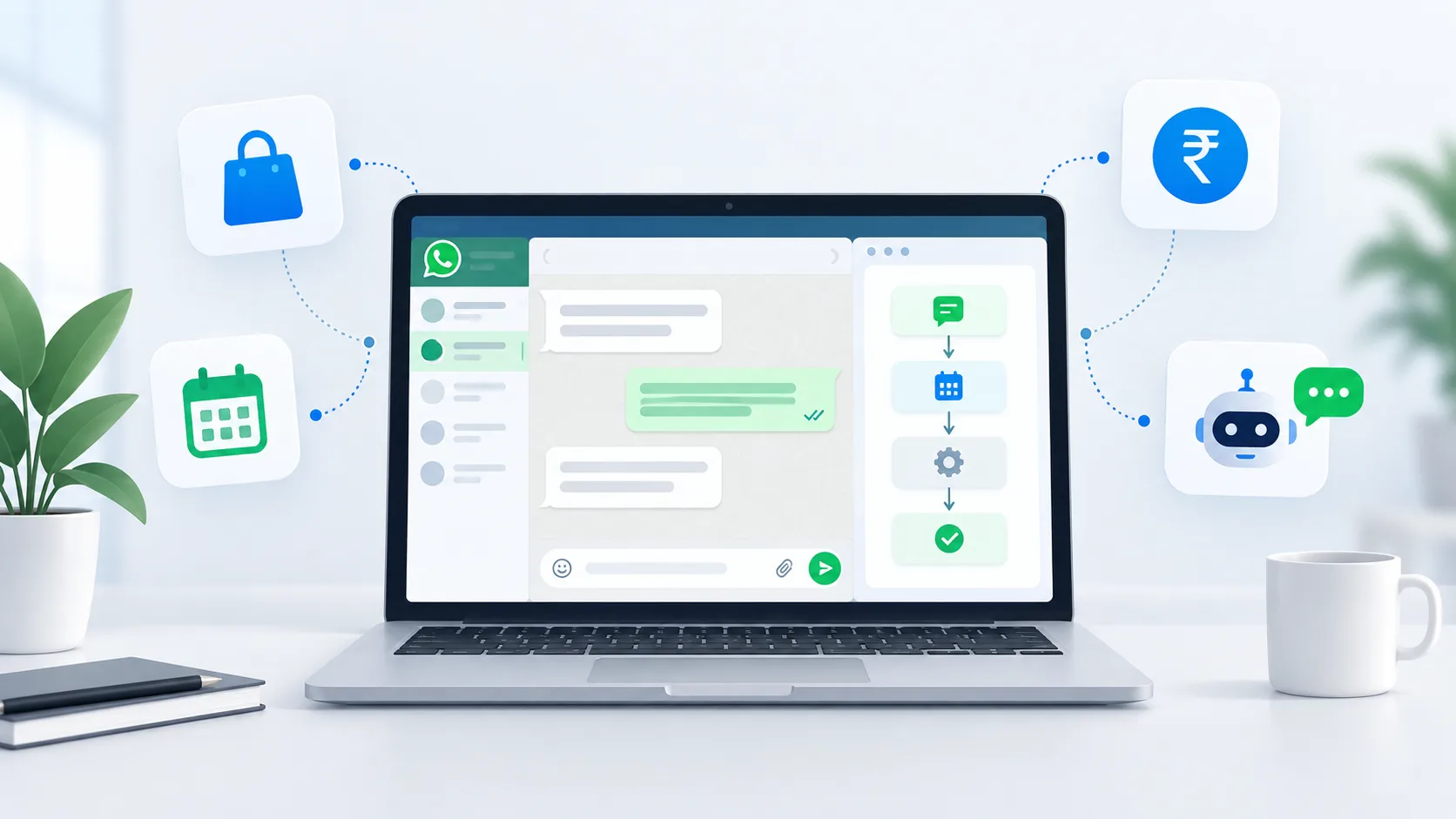
WhatsApp automation India dashboard showing automated customer conversations for an Indian business

Summarise this post with:

Why WhatsApp Beats Every Other Channel in India

India is WhatsApp’s largest market by a distance — over 500 million users. That changes the maths for every business here.

  • Email open rates in India sit in the 15–25% range. WhatsApp template messages regularly clear 90%+ delivery and get read within minutes.
  • SMS is transactional-only for most brands now, and DLT registration makes it slow to iterate.
  • Phone calls don’t scale past a certain team size, and most customers under 35 don’t pick up unknown numbers.

So the channel isn’t the question. The question is whether you’re operating it manually — one person, one phone, copy-pasting the same price list forty times a day — or whether the repetitive 70% runs on its own.

What WhatsApp Automation Actually Means

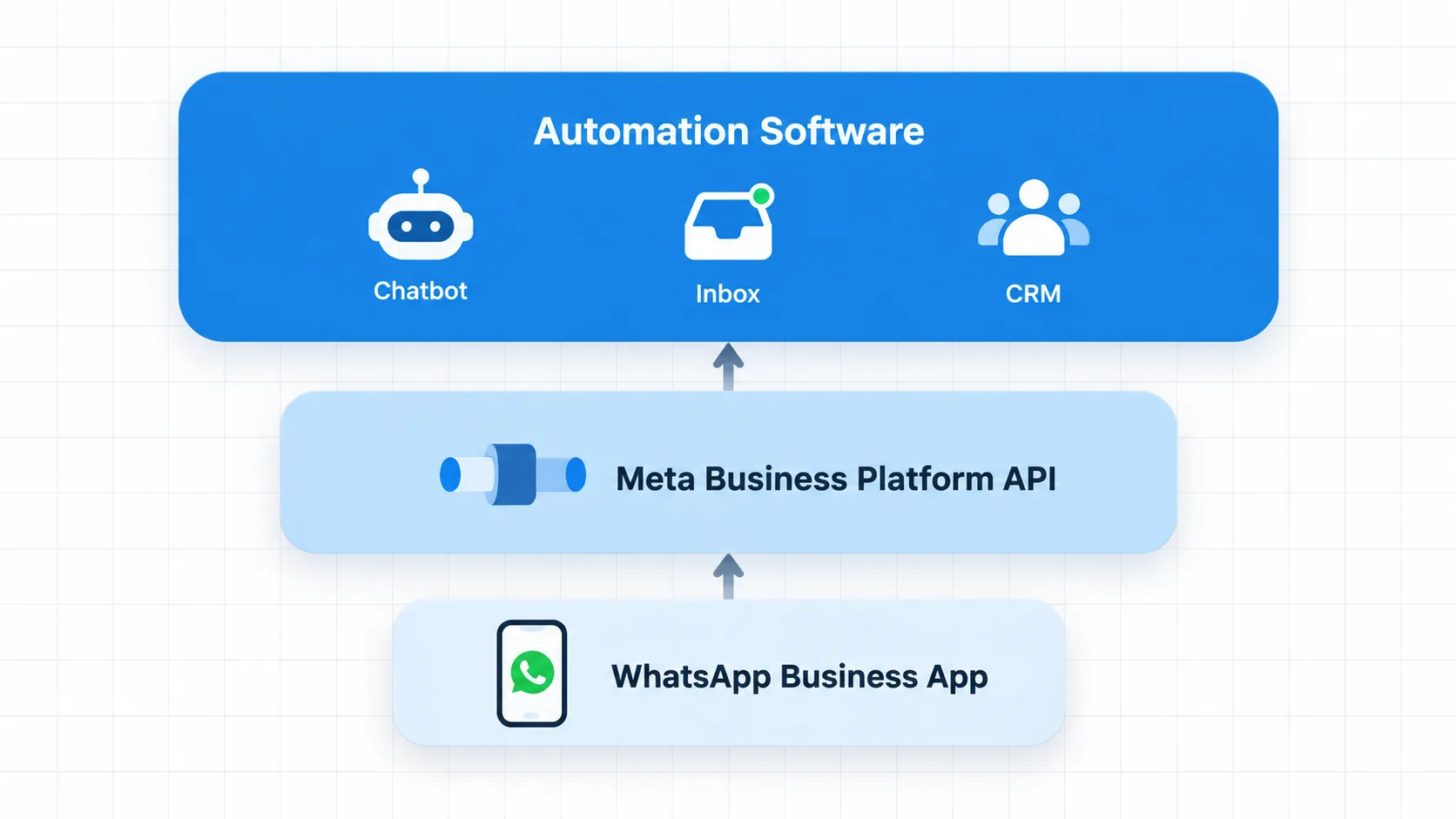
There are three layers here, and mixing them up is where most businesses get into trouble.

Diagram of the three layers of WhatsApp automation — Business App, Meta Business Platform API, and automation software

Layer 1 — WhatsApp Business App. Free, runs on a phone. Quick replies, away messages, labels. Fine for a solo founder. It breaks the moment you need two people answering at once.

Layer 2 — WhatsApp Business Platform (the API). Meta’s official infrastructure. No app, no interface — it’s a pipe. You cannot use it directly without software sitting on top.

Layer 3 — Automation software. This is where BetaXLab lives. It gives the API a usable interface: a shared inbox, a chatbot builder, campaign tools, a CRM, and integrations with the rest of your stack.

A quick warning, because it costs Indian businesses real money every month: the “bulk WhatsApp sender” tools sold for ₹999 lifetime are not Layer 2. They script the consumer app. Meta detects the pattern and bans the number — and you lose the chat history with every customer on it. We wrote about how to avoid a WhatsApp ban while bulk messaging because we kept getting the same panicked message from people who’d already lost a number.

If you want the deeper architectural explanation, our guide to WhatsApp automation systems for business covers the mechanics end to end.

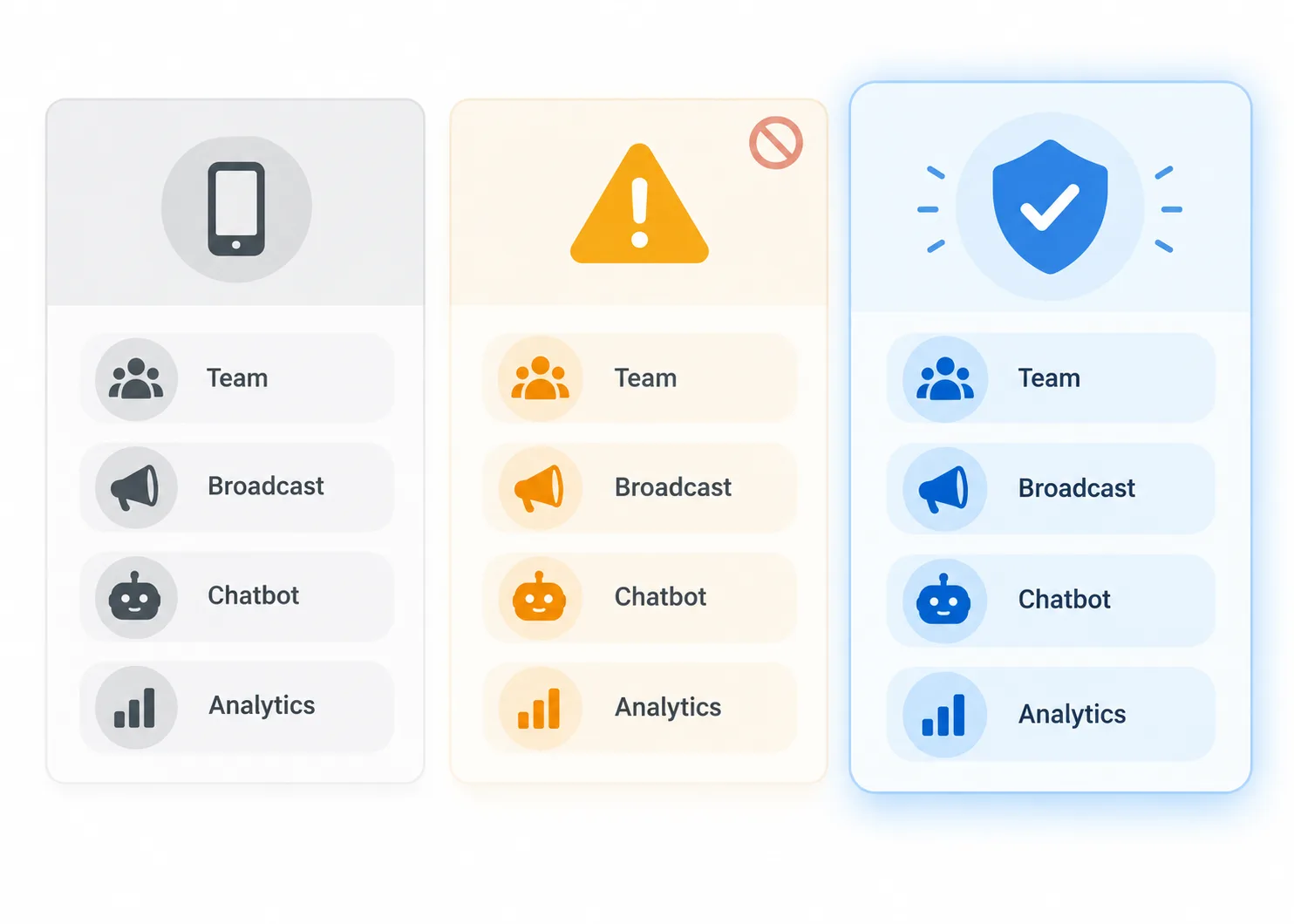
WhatsApp Business App vs Unofficial Tools vs Official API

Comparison of WhatsApp Business App, unofficial bulk senders and the official WhatsApp Business API in India
WhatsApp Business AppUnofficial bulk senderOfficial API platform
CostFree₹500–2,000 one-timeSubscription + Meta per-message
Team access1 phone (+4 linked devices)1 phoneUnlimited agents, role-based access
Ban riskNoneVery highNone — it’s Meta’s own infrastructure
Green tick eligibleNoNoYes
Broadcast limit256 contacts, saved numbers onlyUnreliableNo practical cap
Chatbot / AI repliesNoNoYes
CRM & pipelineLabels onlyNoFull WhatsApp CRM
Shopify / CRM syncNoNoYes
AnalyticsBasic countsNoDelivery, read & conversion analytics
Survives scaleUnder ~50 chats/dayNeverYes

The honest read: if you’re doing under 30 conversations a day and one person handles them, stay on the free app. The moment you have two people or 50+ chats, the free app becomes the bottleneck — and that’s when WhatsApp automation software for small business starts paying for itself.

What You Can Actually Automate

A WhatsApp automation platform earns its subscription across seven areas — leads, orders, follow-ups, support, payments, your CRM and your marketing calendar. The value is in running all seven from one place instead of stitching together separate AI, CRM and broadcast tools.

Lead automation: capture and qualification

A Click-to-WhatsApp ad sends someone to your number. Instead of a human asking the same four questions, a WhatsApp chatbot for Indian businesses asks budget, location, timeline and product interest — then drops a scored lead into lead management and pings the right salesperson. A Pune real-estate client of ours cut first-response time from 40 minutes to 8 seconds this way, and site-visit bookings went up 34% without a rupee more in ad spend — see the real estate case study.

Orders, deliveries and COD confirmation

Order placed, order shipped, out for delivery, delivered — all utility templates, all triggered from Shopify or WooCommerce. The one that matters most for Indian D2C is COD confirmation: a single automated message asking the customer to confirm before dispatch typically cuts RTO by 15–25%. See the D2C fashion case study for the numbers.

Follow-up automation and cart recovery

Abandoned cart on WhatsApp outperforms email abandoned cart by a wide margin, mostly because it gets seen. A three-message sequence over 48 hours via drip campaigns is the standard setup — we walk through the templates in our abandoned cart recovery guide.

AI automation for customer support

This is where WhatsApp AI automation and customer support automation meet. Order status, return policy, store timings, warranty claims, class schedules — feed your FAQs and policy docs to the AI knowledge base once, and it answers in English, Hindi or Hinglish. Anything it isn’t confident about escalates to your shared WhatsApp inbox with the full conversation attached.

Payments and bookings

WhatsApp Flows let customers pick an appointment slot or complete a form inside the chat. Razorpay integration means they can pay without leaving WhatsApp.

CRM and sales pipeline automation

Every WhatsApp conversation should update your pipeline without someone copying it into a spreadsheet. WhatsApp CRM automation auto-tags leads by intent, moves them through pipeline stages as they reply, and assigns the right salesperson — inside the same WhatsApp CRM your team already works from.

Marketing broadcasts and promotions

Festival sales, new launches, restock alerts — WhatsApp broadcast automation sends approved marketing templates to a segmented list instead of a screenshot forwarded fifty times. Pair WhatsApp broadcast sends with WhatsApp marketing automation for scheduling and audience segmentation, and route every reply straight into the same inbox your support team uses.

How to Set Up WhatsApp Automation in India

None of this is a six-month IT project. It’s six steps, most of which a provider does for you. By the end, WhatsApp automation quietly automates the replies, updates and follow-ups that used to eat your team’s day — while a person still handles anything that needs judgment.

1

Get verified on the WhatsApp Business Platform. Business verification through Meta Business Manager — legal name, address, and a document match. An official Meta Business Solution Provider like BetaXLab handles this application on your behalf, usually within a few working days.

2

Choose your number. Migrate your existing WhatsApp Business App number, or start fresh with a new one. Migration keeps your number and contacts, but chat history on the app doesn’t transfer — export anything you need first.

3

Get your first message templates approved. Order confirmations, OTPs, welcome messages — anything sent outside a 24-hour reply window needs an approved message template that meets Meta’s template guidelines. Meta typically reviews these within a few hours.

4

Apply for the green tick (optional, recommended). A verified badge next to your business name. Not required to send messages, but it visibly signals a legitimate business to customers who are wary of scams on the channel.

5

Build one automation, not ten. Start with a single workflow that’s visibly costing you money right now — a chatbot answering your top five FAQs, or an order-update flow. Layer in lead qualification, cart recovery and broadcasts once that one is running clean.

6

Go live and watch your quality rating. Delivery rate, block rate and report rate from day one. A dropping quality rating throttles your daily send limit before it becomes a bigger problem — catch it early.

Most BetaXLab customers have their number live, one chatbot answering, and order updates firing within a week of starting.

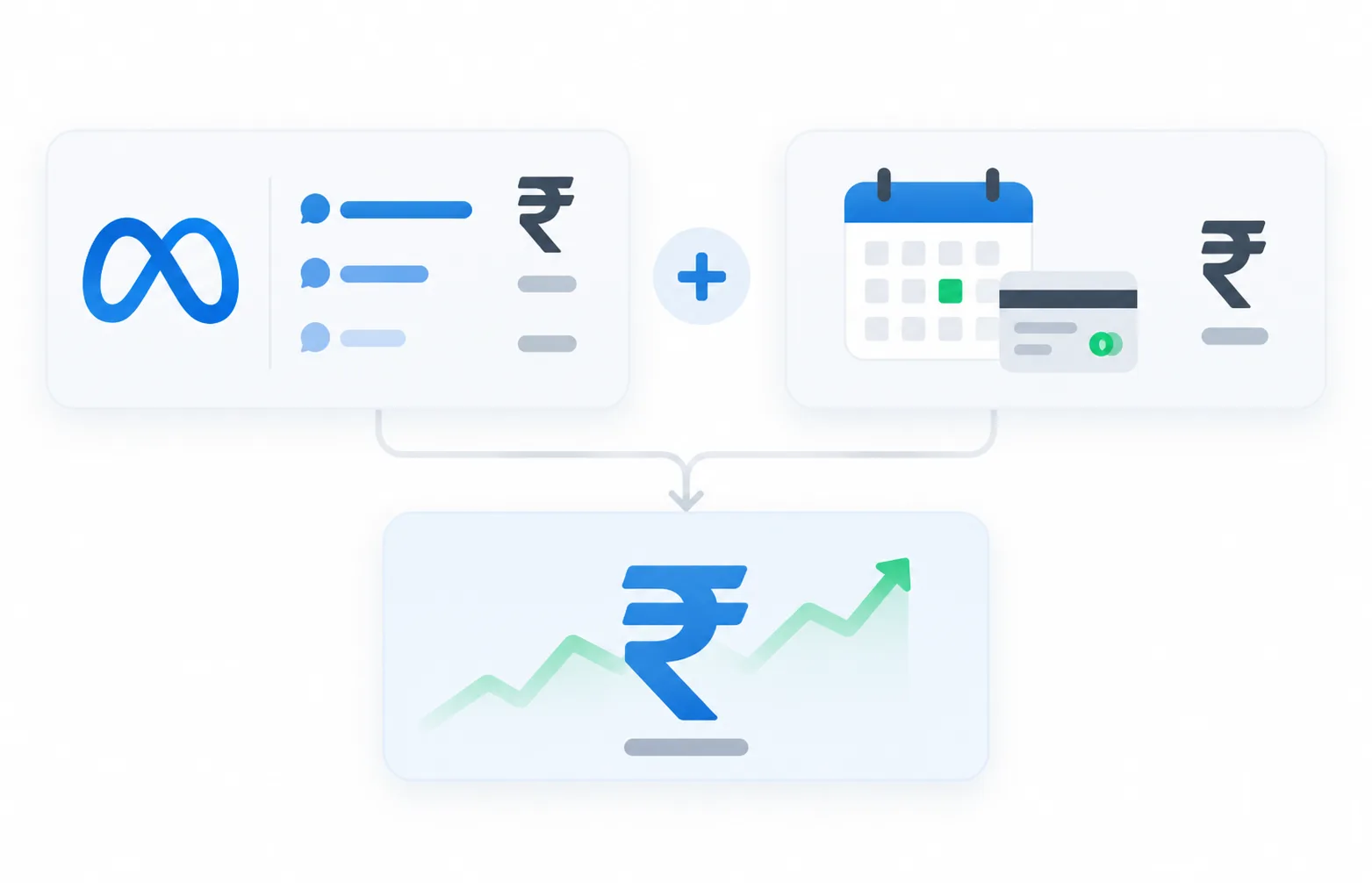
What WhatsApp Automation Costs in India

Two separate bills. Almost every comparison article gets this wrong, so here it is plainly.

WhatsApp automation cost breakdown in India showing Meta per-message rates and platform subscription in rupees

Bill 1 — Meta. Since 1 July 2025, Meta charges per message, not per 24-hour conversation. Indicative India rates:

Message categoryApprox. rate (INR)When it’s charged
Marketing₹0.88Always
Utility₹0.13Free inside an open 24-hour service window
Authentication (OTP)₹0.12Free inside an open service window
Service (your reply to a customer)Free up to 1,000/moFrom 1 Oct 2026: first 1,000 Service Messages/month per number free, then billed at Meta's applicable rate

Rates change. Check Meta’s official pricing documentation before you model anything. Meta has also confirmed local INR billing for India is rolling out during 2026.

Bill 2 — Your platform. BetaXLab starts at ₹599/month (Basic) and ₹1,299/month (Starter), with a 14-day free trial and no credit card. Full breakdown on pricing and a rupee-level walkthrough on WhatsApp Business API pricing in India.

A worked example. A D2C brand sending 10,000 marketing messages and 20,000 utility messages a month:

Marketing: 10,000 × ₹0.88 = ₹8,800

Utility: 20,000 × ₹0.13 = ₹2,600 (less whatever falls inside free service windows)

Platform: ₹2,799 (Growth)

Total: roughly ₹14,200/month

Compare that to one support executive’s salary. That’s the actual comparison worth making.

BetaXLab vs AiSensy vs Wati vs Interakt

All four are legitimate Meta Business Solution Providers. None of them will get you banned. They differ in price, AI depth and who they’re built for — here’s a fair read.

BetaXLabAiSensyWatiInterakt
Free trial14 days, no card14 days7 days14 days
Free agent seats5 on StarterPaid add-onLimited, then paidLimited
AI chatbotNative AI agent + knowledge baseAdd-onAdd-on (KnowBot)Basic
No-code workflow builderYesYesYesLimited
Shopify / WooCommerceNative bothNative bothShopify-firstShopify-first
Sheets + REST APIYes, all plans above StarterHigher tiersHigher tiersHigher tiers
Best fitIndian SMBs & D2C wanting AI without add-on pricingHigh-volume broadcast marketingGlobal teams, mature support orgShopify-first D2C

Where I’d be straight with you: if your primary need is very high-volume broadcast marketing and nothing else, AiSensy is well-built for it. If you’re a larger international support team, Wati’s ecosystem is deeper. We built BetaXLab for the Indian business that wants the AI chatbot, the CRM and the team inbox included rather than bolted on as three separate line items — and priced it so a ₹5 lakh/month business can actually afford it.

Compare pricing yourself on each site before deciding. Anyone telling you their tool wins on every row is selling, not comparing.

Compliance: The Rules That Actually Matter

WhatsApp automation in India sits under three overlapping rulebooks.

✓

Opt-in is mandatory. You need recorded consent before sending a template message. Checkbox at checkout, form submission, or the customer messaging you first. No scraped lists.

✓

Templates need Meta approval. Marketing templates get reviewed. Promotional content dressed up as a utility message gets re-categorised or rejected — see message templates for what passes.

✓

Quality rating controls your throughput. Blocks and reports drop your rating. Drop far enough and Meta throttles your daily send limit. This is the real penalty for spraying messages.

✓

DPDP Act, 2023. India’s data protection law applies to the customer data in your CRM — purpose limitation, consent records, deletion on request. Read the framework on MeitY’s site.

✓

DLT is for SMS, not WhatsApp. A common confusion. TRAI’s DLT registry governs SMS and voice; WhatsApp compliance runs through Meta’s own approval layer. TRAI’s regulations still matter if you run SMS alongside.

Meta’s own Business Messaging Policy is the primary source — worth twenty minutes of your time before you launch a campaign.

How to Choose a Platform: 7 Questions

1

Are they an official Meta Business Solution Provider? (If they can’t show it, walk.)

2

Is the AI chatbot included or a paid add-on?

3

How many agent seats before pricing jumps?

4

Does it connect to what you already use — Shopify, WooCommerce, Google Sheets, Razorpay?

5

Can a non-technical person build a workflow, or does every change need a developer?

6

What happens when the bot can’t answer — is human handoff clean, with full context?

7

Who picks up when something breaks at 9pm on a Saturday?

That last one decides more renewals than any feature list.

Automation Should Not Mean Removing Humans

The businesses that get the most out of WhatsApp automation in India are the ones that automate the boring 70% and route the valuable 30% to a person, fast.

Rule-based automation handles order status and store timings. AI handles varied phrasing, Hinglish, and questions your FAQ nearly covers. Humans handle negotiation, complaints and anything involving money going the wrong way.

Get that split right and your team stops answering “delivery kitne din mein hoga” forty times a day and starts closing deals instead.

Frequently Asked Questions

It’s software on top of the official WhatsApp Business API in India that handles repetitive conversations automatically — lead qualification, order updates, FAQs, reminders and follow-ups — while routing anything complex to a human. For most Indian SMBs the first measurable win is response time dropping from minutes to seconds.

Two bills: Meta’s per-message charges (roughly ₹0.88 marketing, ₹0.13 utility, and service replies free for the first 1,000/month per number from 1 Oct 2026, then billed at the applicable rate) and your platform subscription. BetaXLab starts at ₹599/month with a 14-day free trial. A typical D2C brand spends ₹12,000–15,000/month all-in.

Not on the official API — it’s Meta’s own infrastructure. Bans happen with unofficial bulk-sender tools that script the consumer app. Stay on an approved provider and follow opt-in rules.

No. Workflows, chatbots and campaigns are built visually. Developers only get involved for custom REST API work.

Usually yes, if it’s currently on the WhatsApp Business App. It gets migrated to the API during onboarding — chat history on the app doesn’t carry over, so export anything you need first.

Yes. Roman-script Hinglish is the default input for a large share of Indian customers, and our AI is tuned for it rather than treating it as an edge case.

Yes — native Shopify and WooCommerce integrations, Google Sheets, Razorpay, and REST APIs for everything else.

It doesn’t have to replace one — it feeds it. BetaXLab’s built-in WhatsApp CRM automation auto-tags and updates leads from every conversation, or you push that same data into an external CRM through the REST API and Google Sheets integration.

Yes. AI-driven support, lead qualification and CRM updates run alongside segmented WhatsApp broadcast and marketing automation on the same subscription — no separate broadcast tool needed.

Start Automating the Conversations That Cost You Money

You don’t need a six-month project. Most BetaXLab customers have their number live, one chatbot answering, and order updates firing within a week.

Or book a free demo — we’ll map your current workflow before you pay anything

BetaXLab is an official Meta Business Platform partner. Automate conversations. Grow your business.

Related Reading

WhatsApp Business API IndiaWhatsApp AI ChatbotWhatsApp CRMShared WhatsApp InboxWhatsApp BroadcastWhatsApp FlowsDrip CampaignsRole-Based AccessWhatsApp AnalyticsShopify AutomationBetaXLab PricingDeveloper REST API

Not sure which plan fits your business?

Ask Us →
WhatsApp Automation India: Costs, Rules & Setup Guide 2026