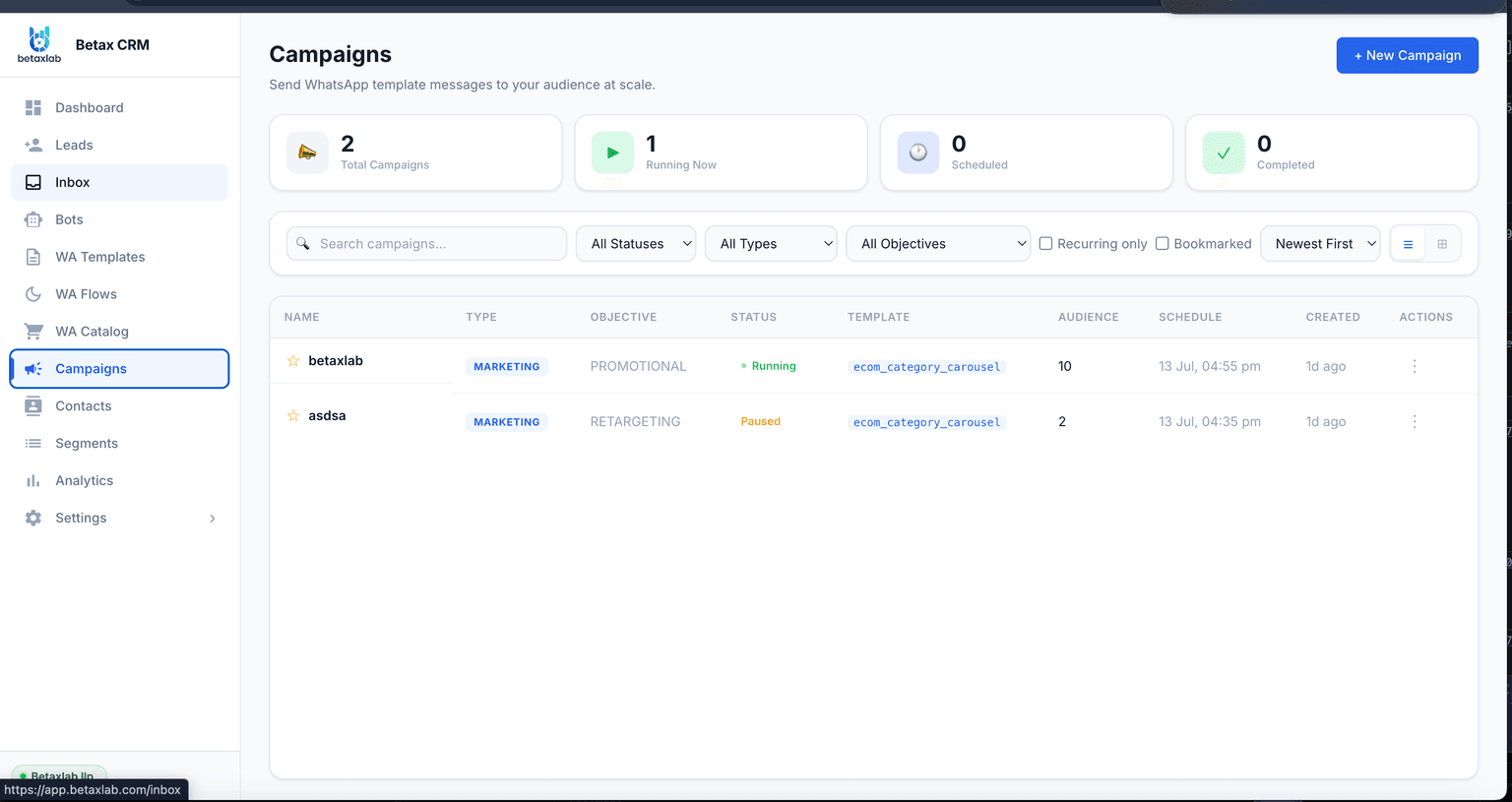
WhatsApp broadcast software helps a business message eligible audiences at scale instead of one chat at a time. The right platform for you depends less on which name comes up most often online and more on five things: consent management, approved templates, segmentation, delivery reporting and total cost. This guide walks through what buyers typically weigh, compares named platforms fairly, and shows where BetaXLab fits — with links to the fuller product page for depth.
On This Page
Before naming a single “best” tool, it helps to know what people shopping for WhatsApp broadcast software tend to care about. These are the recurring themes, described in general terms.
A recurring question is what a broadcast actually costs once Meta’s per-message charges are added to a platform’s subscription — people want the real number, not the marketing page figure.
Many buyers first try the regular WhatsApp Business app, then ask why their broadcast only reached a fraction of a list — usually tracing back to the 256-recipient cap and the saved-contact requirement.
A common worry is sending too aggressively and triggering blocks, a dropped quality rating, or a restricted messaging limit — leading people to ask how segmentation and pacing protect a number.
Buyers frequently ask whether a broadcast tool also tracks replies as leads, or whether they will need to run a separate CRM alongside it to avoid losing responses in a flooded inbox.
Questions about why a submitted message template got rejected, or how long Meta approval typically takes, come up often enough to be one of the more predictable pain points.
People compare vendors specifically looking for add-on costs — extra agent seats, usage tiers, or features locked behind higher plans — rather than taking a single advertised price at face value.
This reflects common, generic patterns observed across public discussion forums over time — not specific cited threads, usernames or post counts. Treat it as a map of what to think about, not a survey result.
Most businesses start with the free WhatsApp Business app and hit its limits before looking at dedicated software. Here is what actually changes.
| What Changes | WhatsApp Business App | Dedicated Broadcast Software |
|---|---|---|
| Audience Size | Broadcast List tops out at 256 saved contacts; recipients must have your number saved or they receive nothing. | No fixed recipient cap on the Official WhatsApp Business API; the practical ceiling is your Meta messaging limit tier. |
| Saved-Contact Requirement | A recipient who has not saved your business number as a contact will not receive the broadcast at all, with no warning that they were skipped. | Opted-in contacts receive the message whether or not they have saved your number, since delivery runs through the API rather than the consumer app. |
| Team Access | Built for a single phone and a single person sending from it; there is no shared login or role separation. | Multiple team members can build segments, manage templates and work replies, typically with role-based permissions on paid plans. |
| Campaign Reporting | Shows whether a message was sent from the device; there is no per-contact delivered/read breakdown or failure list. | Per-contact delivery, read, reply and failure status, usually rolled up into a campaign-level reporting dashboard. |
| Automation | Limited to basic auto-replies and away messages inside the app; no segment-based or multi-step automation. | Segment-triggered campaigns, scheduling, follow-up sequences and chatbot handling of replies are typically available, depending on the vendor and plan. |
| Scalability for Growing Lists | Splitting a growing list into multiple 256-contact groups and resending manually becomes unworkable past a few thousand contacts. | Designed to send to large, changing lists with de-duplication, suppression of opt-outs, and pacing controls that stay manageable as the list grows. |
The 256-recipient cap and the saved-contact requirement are real, documented limits of the free consumer and small-business apps — not a vendor claim. See the full breakdown on the WhatsApp Broadcast Software page.
These apply whichever vendor you end up choosing. Use them as the checklist for evaluating any platform, not just the ones named below.
The ability to filter contacts by tag, attribute, purchase history or activity date, so a campaign reaches a relevant slice rather than the whole database.
Recorded opt-in source and timestamp per contact, plus automatic suppression of anyone who has opted out, so compliance does not depend on manual list-cleaning.
A way to draft, submit and track Meta’s approval status for templates, since any message sent outside an active customer conversation window needs one.
Control over when a campaign goes out and how fast it dispatches, so replies arrive at a rate a team can actually handle.
Per-contact status — delivered, read, failed and why — rather than a single aggregate count with no detail behind it.
A way for replies to become tracked records with an owner and a stage, instead of disappearing into an unmanaged chat list.
A dashboard that shows how one campaign performed against another, so decisions can be based on read and reply rates rather than guesswork.
BetaXLab, WATI, Gallabox, Interakt, AiSensy and Zoko, compared on the things that decide a bulk send — described qualitatively since plans and features change.
| Capability | BetaXLab | WATI | Gallabox | Interakt | AiSensy | Zoko |
|---|---|---|---|---|---|---|
| Scale Beyond the App’s 256 Cap | Built on the Official WhatsApp Business API — no 256-recipient cap and no saved-contact requirement; ceiling is your Meta messaging limit tier. | Also an Official API-based platform, so the consumer app’s 256 cap does not apply once your number is connected. | Also API-based; the 256 cap is specific to the free app, not to Gallabox’s broadcast feature. | Also API-based, with scale aimed at ecommerce-sized contact lists. | Also API-based broadcast, positioned for bulk sends from the outset. | Also API-based, with scale built around catalogue and order-list sizes. |
| Audience Segmentation | Segment builder with tags, custom attributes, lifecycle stage, purchase history and activity date, with a live contact count as filters are applied. | Tag and list-based segmentation; more advanced filtering is typically tied to higher plans. | Tag and attribute segmentation, built closely alongside its visual chatbot flows. | Segmentation oriented around commerce attributes such as order and cart history. | Tag-based list segmentation aimed at broadcast campaigns. | Segmentation built around catalogue and commerce data. |
| Templates & Approval Tracking | Draft, submit and track Meta template approval status inside the platform, with the rejection reason shown alongside the template. | Mature template manager with approval status visibility. | Template manager integrated into its flow-builder interface. | Template manager geared toward commerce and order-update messages. | Template manager built for broadcast campaign sends. | Template manager tied closely to catalogue-based messaging. |
| Delivery & Campaign Reporting | Per-contact delivered/read/replied/failed status plus an aggregate campaign funnel, with failures grouped by cause. | Campaign-level delivery reporting; the depth of per-contact detail can vary by plan. | Campaign reporting presented alongside chatbot and flow analytics. | Reporting weighted toward commerce conversion metrics. | Broadcast reporting covering delivery and read counts. | Reporting centred on catalogue and order outcomes. |
| CRM / Integrations | Native WhatsApp CRM — replies become tracked leads with an owner, stage and full history without adding a separate CRM tool. | Contact management is present but lighter than a full CRM; many teams pair it with an external CRM. | Contact records structured around its chatbot and flow logic. | Contact and order records geared toward ecommerce platform integrations. | Contact lists functional for sending, but closer to a list manager than a full CRM. | Commerce and order-centric contact records. |
| Known Restrictions to Check | Confirm current plan limits and message-category pass-through pricing on the pricing page before committing. | Confirm current seat limits, add-on pricing and plan tiers directly with the vendor. | Confirm current pricing, seat limits and flow-builder plan restrictions directly with the vendor. | Confirm current usage-based components and plan limits directly with the vendor. | Confirm current credit-based pricing and plan limits directly with the vendor. | Confirm current plan tiers and commerce-feature pricing directly with the vendor. |
Not live data. Plans, limits and pricing change frequently across all of these vendors. Treat this table as a starting point and compare official pricing and feature pages directly before deciding — not as a substitute for doing that.
No specific competitor prices are quoted here because they change often and vary by plan and region. See BetaXLab’s transparent pricing for current published numbers, and the full WhatsApp Broadcast Software page for feature depth.
A broadcast has two cost components: Meta’s per-message charge and the software vendor’s subscription fee. Here is the formula, with a fully hypothetical example.
| Labelled Assumption | Value |
|---|---|
| Opted-in recipients for this send | 5,000 contacts |
| Illustrative per-message rate (hypothetical, not a quote) | ₹0.75 per marketing message |
| Platform subscription | Flat published plan fee — see pricing for current numbers |
Formula: recipients × per-message rate = estimated Meta message cost, plus the platform’s flat subscription. Worked example: 5,000 × ₹0.75 = ₹3,750 (illustrative Meta cost for this one send) plus your platform subscription.
The ₹0.75 figure above is a placeholder used only to show how the math works — it is not Meta’s actual rate for any category or country. Meta’s real per-message rates vary by category (marketing, utility, authentication) and by recipient country, and Meta revises these rates and categories from time to time. Always check Meta’s official WhatsApp Business Platform pricing documentation for current rates, and see BetaXLab’s current plan pricing rather than treating this example as a quote.
Workflows currently supported, in plain terms. For the full feature list and screenshots, see the dedicated WhatsApp Broadcast Software page.
Segment Builder With Live Counts. Filter by tag, attribute, lifecycle stage, purchase history or activity date, with the audience count updating as filters narrow and opt-outs automatically excluded.
Template Library With Approval Tracking. Draft, submit and monitor Meta template approval status from inside the platform, including the stated reason if a template is rejected.
Personalization Variables. Merge first name, city, order ID or any custom field into the template body, header and buttons, previewed with real contact data before sending.
Send-Rate Pacing. Control how fast a campaign dispatches, so a reply spike lands at a pace the team can handle rather than all at once.
Scheduling & Send Windows. Queue a campaign for a specific date and time, and restrict sending to windows when your audience is actually awake.
Per-Contact Delivery & Failure Tracking. Live status per recipient — queued, sent, delivered, read, replied or failed with a stated reason — rather than one aggregate send count.
Automatic Opt-Out Handling. Opt-out keywords detected in replies suppress that contact from future marketing campaigns automatically, with opt-in source and timestamp stored per contact.
Shared Inbox for Replies. Campaign replies route into a shared team inbox with auto-assignment and collision prevention, so a reply spike does not land on one person’s phone.
Honest note on requirements. Using broadcast software does not remove your compliance obligations. Recipients still need to have opted in, and any message sent outside an active 24-hour conversation window still needs a Meta-approved template. BetaXLab helps you manage consent and template approval status inside the platform, but the underlying policy requirements come from Meta and apply no matter which tool you use.
Or read the full WhatsApp Broadcast Software page for feature depth
Six checks worth running before any broadcast goes out, regardless of which platform you use.
Confirm the Audience Actually Opted In. Every recipient should have agreed to receive messages and know which business they agreed to hear from, with that consent recorded somewhere.
Target a Relevant Segment, Not the Whole List. A message relevant to the slice of your list receiving it performs better and draws fewer blocks than the same message sent to everyone.
Control Frequency. Decide how often any one contact can be messaged in a given period, so engaged customers are not driven to opt out by over-messaging.
Make Your Identity Clear. The message should make it obvious which business is sending it, since WhatsApp displays your verified business name alongside the Official API.
Provide a Clear Opt-Out Path. Recipients should have an obvious way to stop receiving messages, and that request should be honoured going forward without manual intervention.
Review Results After Sending. Check delivered, read and failure rates after a campaign, clean up invalid numbers, and use what worked to adjust the next segment or template.
See BetaXLab’s published plan pricing, then weigh it against the other platforms covered in this guide using your own list size and send frequency.
Guide last reviewed October 14, 2026. Vendor features, limits and pricing change — verify current details on each provider’s own site before purchasing.
Related Reading
Ready to compare broadcast plans for your list size?
Compare Plans →