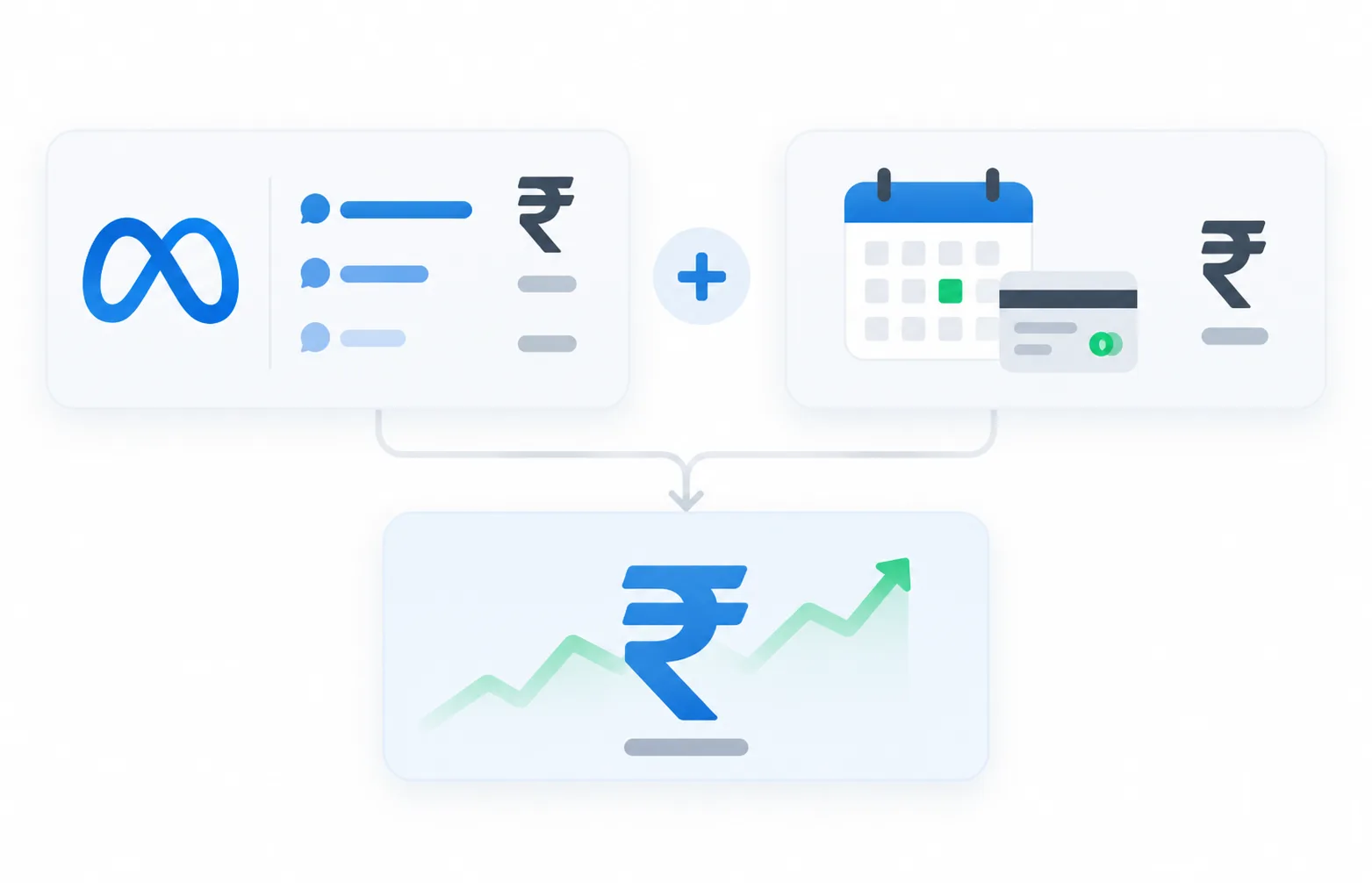
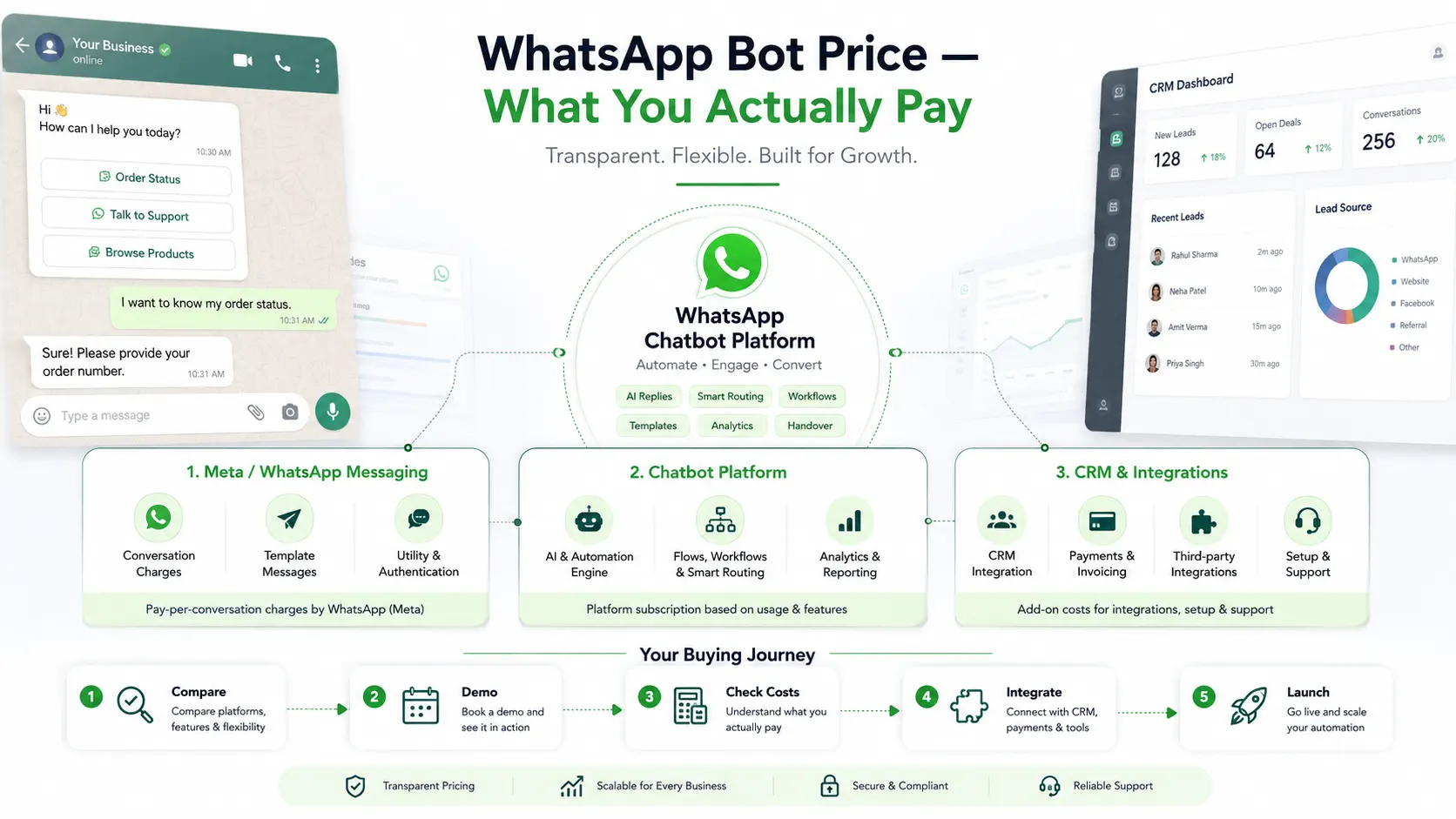
The cheapest WhatsApp CRM on paper is not always the best value once everything is added up. This guide compares WhatsApp CRM subscriptions, team seats, Meta’s own messaging charges, onboarding and add-ons — the things buyers actually weigh up — rather than chasing a single headline number. We show where BetaXLab’s own published pricing sits on each factor without claiming to be the cheapest option available.
On This Page
Searches like “affordable WhatsApp CRM reddit” usually come from people who have already been burned once by a software bill that grew after sign-up. The recurring themes in that kind of public discussion are fairly consistent:
Whether a cheaper-looking monthly subscription secretly costs more once Meta’s own messaging charges are added on top
Why per-agent seat pricing can turn a plan that looked affordable for one person into an expensive one for a team of five
Whether a vendor adds a markup on top of Meta’s per-conversation charges, or passes them through at cost
How to tell a plan that is genuinely built for small teams from one that just has a low starting number and thin features
Whether the free WhatsApp Business app, a spreadsheet, or a generic help-desk widget is “good enough” before paying for a dedicated WhatsApp CRM
How an annual commitment compares to staying on monthly billing while volume and team size are still unpredictable
Whether switching providers later is easy, or whether contacts, templates and chat history get stuck with the first vendor chosen
This reflects common patterns in public discussion rather than specific cited threads, posts or named users — we do not quote, link to or attribute claims to any individual Reddit post here.
A plan’s headline subscription price is only one line in the actual bill. The number that matters for a buying decision is the total cost of ownership — subscription plus seats plus Meta’s own messaging charges plus whatever add-ons your usage requires.
A small business picks a WhatsApp CRM advertised as the cheapest option they could find. By the end of month one, the bill looks different from the sign-up price: a second staff login that wasn’t covered by the base plan now costs extra per seat, the contact list has grown past the included cap and triggers an add-on charge, and Meta’s own per-conversation messaging charges — which were never part of the software subscription in the first place — show up as a separate line. None of this is necessarily a scam; it is simply what “cheapest” often leaves out of the headline number. Reading the fine print on seats, caps and pass-through charges before signing up avoids the surprise.
Each item below is tagged by who actually charges for it — the CRM/API vendor, or Meta directly — since that distinction is where most pricing confusion starts.
Monthly or annual platform subscription
The base fee a WhatsApp CRM vendor charges for the software itself — inbox, CRM, templates, dashboard. BetaXLab publishes four paid tiers from ₹599 to ₹5,999 per month plus a custom Enterprise tier; other vendors publish their own tiers on their pricing pages.
Team seats beyond what’s included
Most vendors include a fixed number of agent logins per tier and charge for extras. On BetaXLab, Basic includes 1 owner, and Starter upward includes 1 owner plus 5 free seats (6 total), with additional agents at ₹499/agent/month.
Meta’s per-conversation messaging charges
Separate from any vendor subscription, Meta bills for WhatsApp conversations by category and recipient country. BetaXLab’s own pricing page lists illustrative India rates — roughly ₹0.8820 for Marketing, ₹0.1260 for Utility, ₹0.1180 for Authentication (₹0.6520 for international authentication), with Service conversations free up to 1,000/month. These are Meta’s rates, not any vendor’s, and Meta can change them — confirm current figures on Meta’s own pricing documentation before budgeting.
AI chatbot / automation usage fees
Where an AI chatbot is metered by message volume, a plan can include a free monthly allowance with paid tiers above it. BetaXLab’s Growth and Scale plans include 1,000 free AI messages/month, with additional usage sold in published add-on tiers (for example ₹799/month for the next 1,000 messages, scaling up to ₹49,999/month for the next 1,00,000).
Extra WhatsApp numbers and contact capacity
Running more than one brand or location on separate numbers, or holding more contacts than a plan’s cap, is usually a paid add-on. BetaXLab lists an extra WhatsApp number at ₹999/number/month and an extra 5,000 contacts at ₹499/month as published examples of how this type of line item is priced.
Onboarding, setup, migration and integration
Meta Business verification and number connection are generally free; what varies is whether a vendor charges for hands-on setup help, data migration from a previous tool, or custom integrations. BetaXLab lists an optional one-time custom onboarding & training add-on at ₹9,999; whether a given competitor charges for setup is something to confirm on their own site.
Taxes
Software subscriptions sold to Indian businesses are typically subject to GST, which is usually shown separately from the quoted subscription price. Factor this in when comparing a headline number against your actual invoice.
Meta’s per-conversation rates shown here are illustrative India figures as published on BetaXLab’s own pricing page, checked 14 October 2026. Meta sets and can change these rates — confirm current figures on Meta’s official pricing documentation before budgeting.
BetaXLab’s figures below are verified against its own published pricing page. Competitor cells are described qualitatively because public listings for exact seats, limits and fees change often — we are not going to put a number in front of a competitor’s name unless we can see it published and current.
| Pricing Factor | BetaXLab | WATI | Gallabox | Interakt | AiSensy | Zoko |
|---|---|---|---|---|---|---|
| Plan Tiers Shown Publicly | Basic, Starter, Growth, Scale — ₹599 to ₹5,999/month published — plus a custom-quoted Enterprise tier | Multiple tiered plans listed publicly; exact current rates vary by region and change over time | Tiered plans publicly listed, positioned around chatbot-building and inbox features | Tiered plans publicly listed, positioned around commerce and catalogue use cases | Tiered and credit-style plans; some pricing surfaced only after a demo or sign-up | Tiered plans publicly listed, positioned around commerce-led WhatsApp selling |
| Billing Periods Offered | Monthly, quarterly (5% off monthly rate) or annually (10% off monthly rate) | Typically monthly and annual billing, with annual usually discounted | Monthly and annual billing commonly offered | Monthly and annual billing commonly offered | Monthly and annual/credit-based billing commonly offered | Monthly and annual billing commonly offered |
| Seats Included at Entry | 1 owner on Basic; 1 owner + 5 free seats (6 total) from Starter upward, extra seats ₹499/agent/month | Seat allowances vary by tier; several plans charge per additional agent beyond a base allowance | Seat allowances vary by tier; agent pricing often tied to plan level | Seat allowances vary by tier; check current terms for the entry plan | Seat allowances vary; some plans are priced around credits rather than named seats | Seat allowances vary by tier; check current terms for the entry plan |
| Key Volume Limits | Contacts 1,000–1,00,000 and broadcast recipients 5,000–30,00,000/month depending on tier | Contact and messaging limits vary by tier; confirm current caps on the vendor’s pricing page | Contact and conversation limits vary by tier | Contact and conversation limits vary by tier, often framed around order volume | Message/credit limits vary by plan rather than a flat contact cap in some cases | Contact and conversation limits vary by tier, often framed around catalogue size |
| Messaging / Meta Fee Handling | Growth and Scale plans state Meta’s per-conversation charges are passed through with no platform markup | Meta’s conversation charges apply on top of the platform fee for any official API reseller; whether a platform markup is added varies by vendor and plan | Meta’s charges apply on top of the subscription; markup policy varies by plan | Meta’s charges apply on top of the subscription; markup policy varies by plan | Credit-based pricing can bundle messaging cost into the credit price rather than passing Meta’s rate through directly | Meta’s charges apply on top of the subscription; markup policy varies by plan |
| Setup / Onboarding Fee | No mandatory setup fee published; optional custom onboarding & training add-on at ₹9,999 one-time | Some vendors charge a one-time setup or green-tick assistance fee; terms vary and change — confirm directly | Setup/onboarding terms vary by plan; confirm directly | Setup/onboarding terms vary by plan; confirm directly | Setup/onboarding terms vary by plan; confirm directly | Setup/onboarding terms vary by plan; confirm directly |

⚠️ Compare official pricing pages directly before you buy — rates, seat allowances and limits change, and this table reflects general positioning at the time of writing rather than a live quote from any vendor.
For a broader feature-by-feature look rather than pricing alone, see our WhatsApp CRM alternatives comparison or our guide to the best WhatsApp Business API provider.
The “cheapest” option is genuinely the right call for some businesses, and genuinely the wrong one for others. It depends on how many people reply to customers and how much volume moves through the number.
Solo Business Example
A solo consultant or small shop owner who personally replies to every chat, sends occasional updates to a saved-contact list well under the WhatsApp Business app’s broadcast cap, and doesn’t need a sales pipeline. For this profile, the free WhatsApp Business app plus some manual discipline is often genuinely enough — paying for a CRM mainly buys convenience, not a capability that was actually missing.
Multi-Agent Team Example
A clinic, real estate team or growing D2C brand where several people reply from one WhatsApp number, broadcasts go beyond what the built-in Broadcast List can reach, and a lost or duplicated lead has a real cost. Here, a paid shared inbox and CRM is usually justified on total cost of ownership even at a higher sticker price — the cost of chaos (crossed replies, leads nobody owns) tends to exceed the subscription. See Shared WhatsApp Inbox and our shared inbox for teams guide.
More than one person needs to reply from the same WhatsApp number
Broadcasts need to reach more people than the saved-contact list allows
Leads need an owner, a stage and a follow-up trail instead of living in someone’s head
You need proof of delivery or read status for customer messages
You want first-response automation outside working hours
You’re already tracking leads in a spreadsheet that two people edit
We are not going to claim BetaXLab is the cheapest WhatsApp CRM on the market — that depends on your seat count, message volume and which features you actually need, and we have not run a fair, current, apples-to-apples study across every vendor to back that claim. What we can show is exactly what each published plan includes, verified against BetaXLab’s own pricing page as of 14 October 2026.
Basic
₹599/month
Starter
₹1,299/month
Growth
₹2,799/month
Scale
₹5,999/month
An Enterprise tier above Scale is custom-quoted rather than published, built for large multi-number, multi-tenant operations. Billing is monthly by default, with quarterly billing at 5% off and annual billing at 10% off the monthly rate.
A team on Growth connects one WhatsApp number, imports its contact list into BetaXLab’s CRM, and sets up a segmented broadcast to recent customers. Replies land in the shared inbox, the included AI chatbot answers routine questions on price and availability within the free monthly allowance, and anything that looks like a real lead gets tracked through the CRM pipeline with an owner assigned, instead of sitting in one person’s personal chat.
Honest note on limits: each plan caps contacts, broadcast recipients, chatbot flows and (on Basic/Starter) team seats. Going over any of these is handled through published add-ons — for example an extra agent seat at ₹499/month, an extra WhatsApp number at ₹999/month, an extra 5,000 contacts at ₹499/month, or additional AI chatbot usage in tiers from ₹799/month — rather than silently throttling your account. Confirm current figures on /pricing before committing, since plans and add-on pricing can change.
No credit card required
The formula is the same regardless of which vendor you pick. Fill in your own numbers using this structure, or use the worked example below built entirely from BetaXLab’s own published figures.
Monthly cost ≈ Platform subscription + (Extra seats × per-seat rate) + (Extra numbers/contacts add-ons) + (Conversations by category × Meta’s rate per category) + AI usage above the free allowance + Onboarding/integration (one-time, amortized)
Assumptions (replace with your own numbers): BetaXLab Growth plan, 2 extra agent seats beyond the 6 included, and roughly 3,000 Marketing-category conversations in the month, using BetaXLab’s own published rates checked 14 October 2026.
This is a worked illustration using BetaXLab’s own published subscription, add-on and Meta pass-through figures as of 14 October 2026 — not a promise, invoice or quote. Your real total depends on your team size, message mix and category, and Meta’s rates can change. Build your own version of this table with your actual numbers, and confirm current pricing on /pricing before budgeting.
Seven questions buyers ask before committing to a plan.
BetaXLab’s pricing page is public, published and doesn’t require a sign-up or sales call to view. Start a 14-day free trial on Basic or Starter, no card required, and use your own volume to build the cost table above for real.
Prefer to talk it through first? Book a 20-minute demo on WhatsApp →
Related Reading
Last reviewed and pricing checked: 14 October 2026
Not sure which WhatsApp CRM fits your budget?
Ask Us →